TL;DR
- An AI intelligence layer is your agency’s memory: your SOPs, your services, and everything each client has told you, stored where AI can find it and cite it.
- Most agencies use AI one person at a time. The intelligence layer lets the whole team work from the same knowledge.
- You don’t need developers to start. At E2M’s London AI workshop, agency owners built one in an afternoon using Claude desktop and a single prompt.
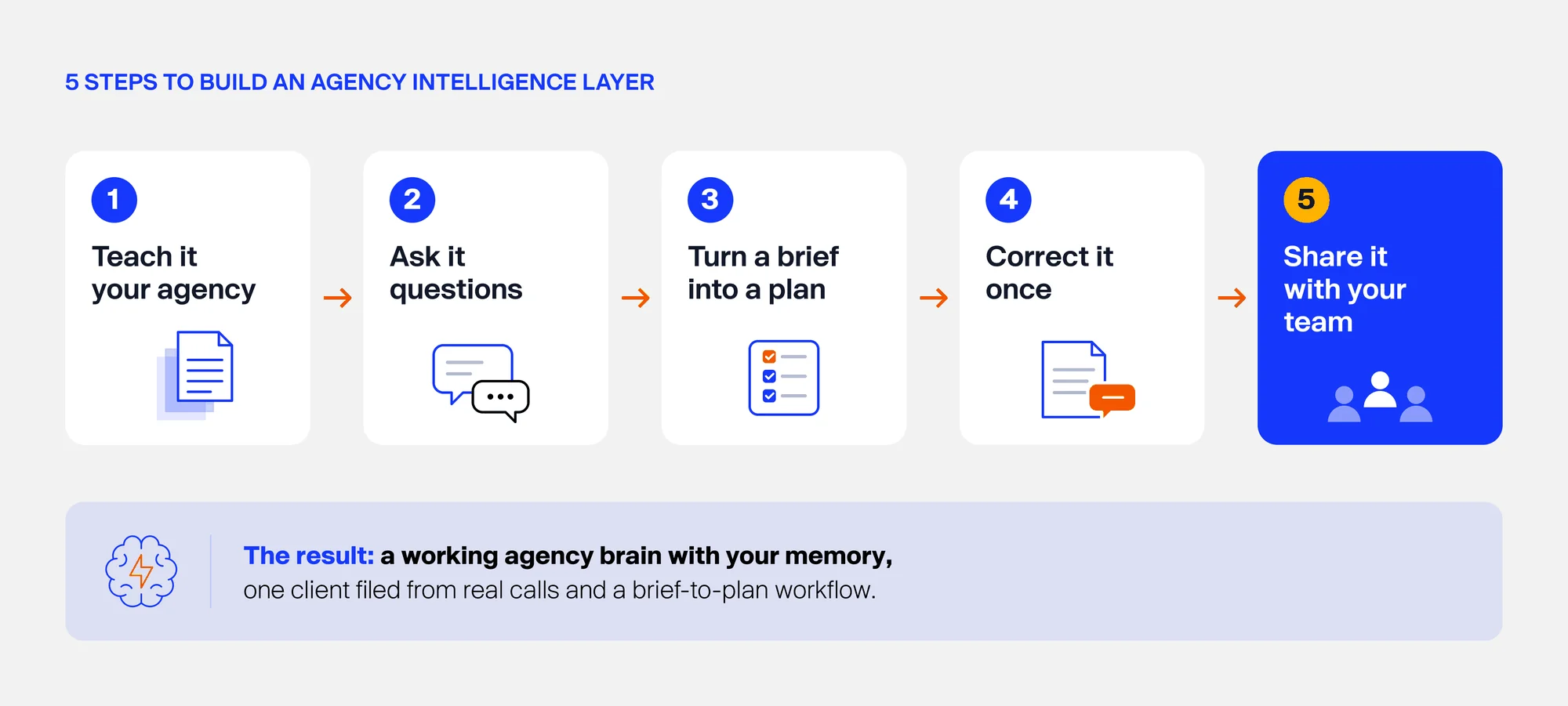
- It takes five steps: teach it to your agency, ask it questions, turn a brief into a plan, correct it, and share it with your team.
Your Agency Has AI Tools. So Why Does It Still Feel Like Starting From Zero?
You probably pay for ChatGPT or Claude. Maybe Zapier too. But think about the last new client brief that came in.
Someone still had to dig through old proposals.
Someone had to ask a senior team member how you normally handle onboarding.
And the details from last week’s client call? They are sitting in a recording nobody will open again.
There’s a bigger risk here, too. Client relationships often depend on the knowledge held by individual account managers and strategists.
When someone leaves your agency, important context can leave with them: why a client made a decision, what was promised, and what has or hasn’t worked. Without a reliable way to preserve that history, continuity suffers, and the next person has to piece things together from scratch.
An AI intelligence layer helps move that knowledge out of individual team members’ heads and into a shared company resource. Your team can access client history, decisions, and commitments even when responsibilities change, helping preserve continuity and ensuring fewer details get lost along the way.
“The tools are smart. They just don’t know your agency.”- Khushbu Doshi
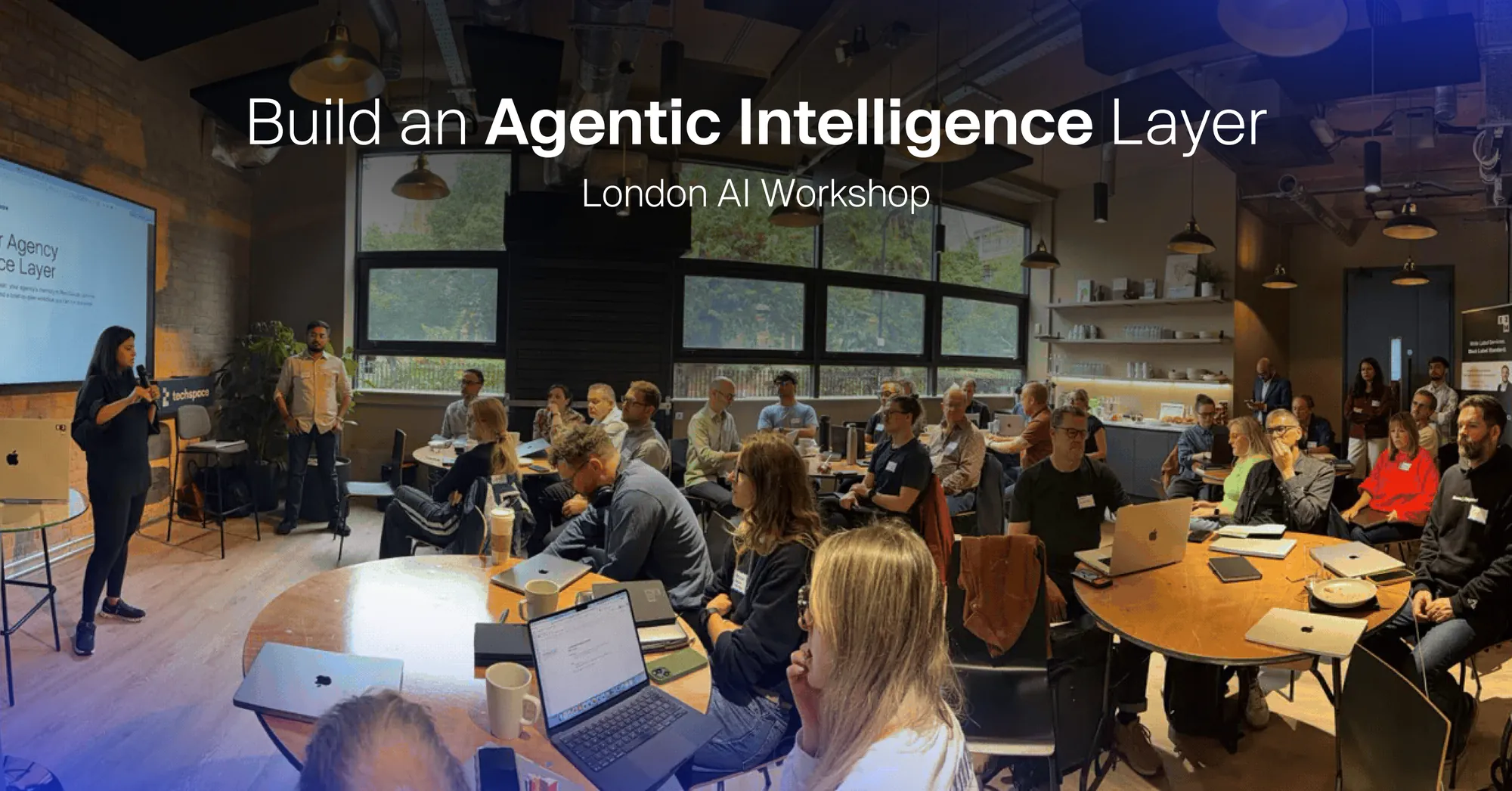
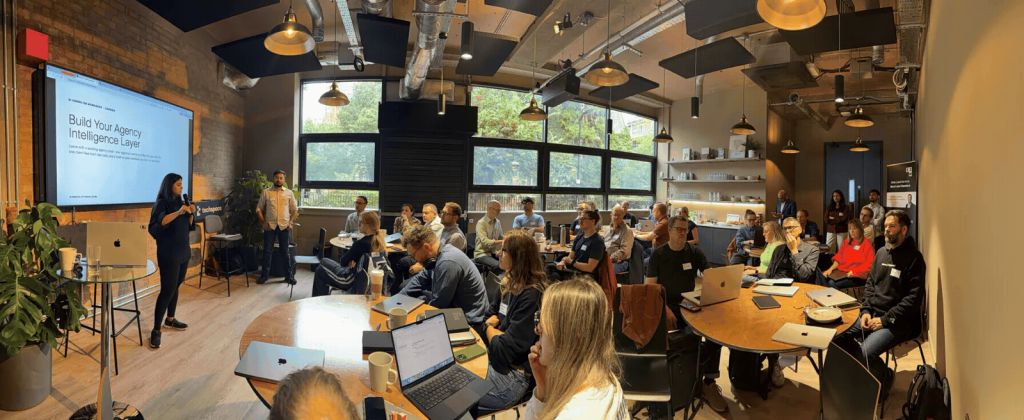
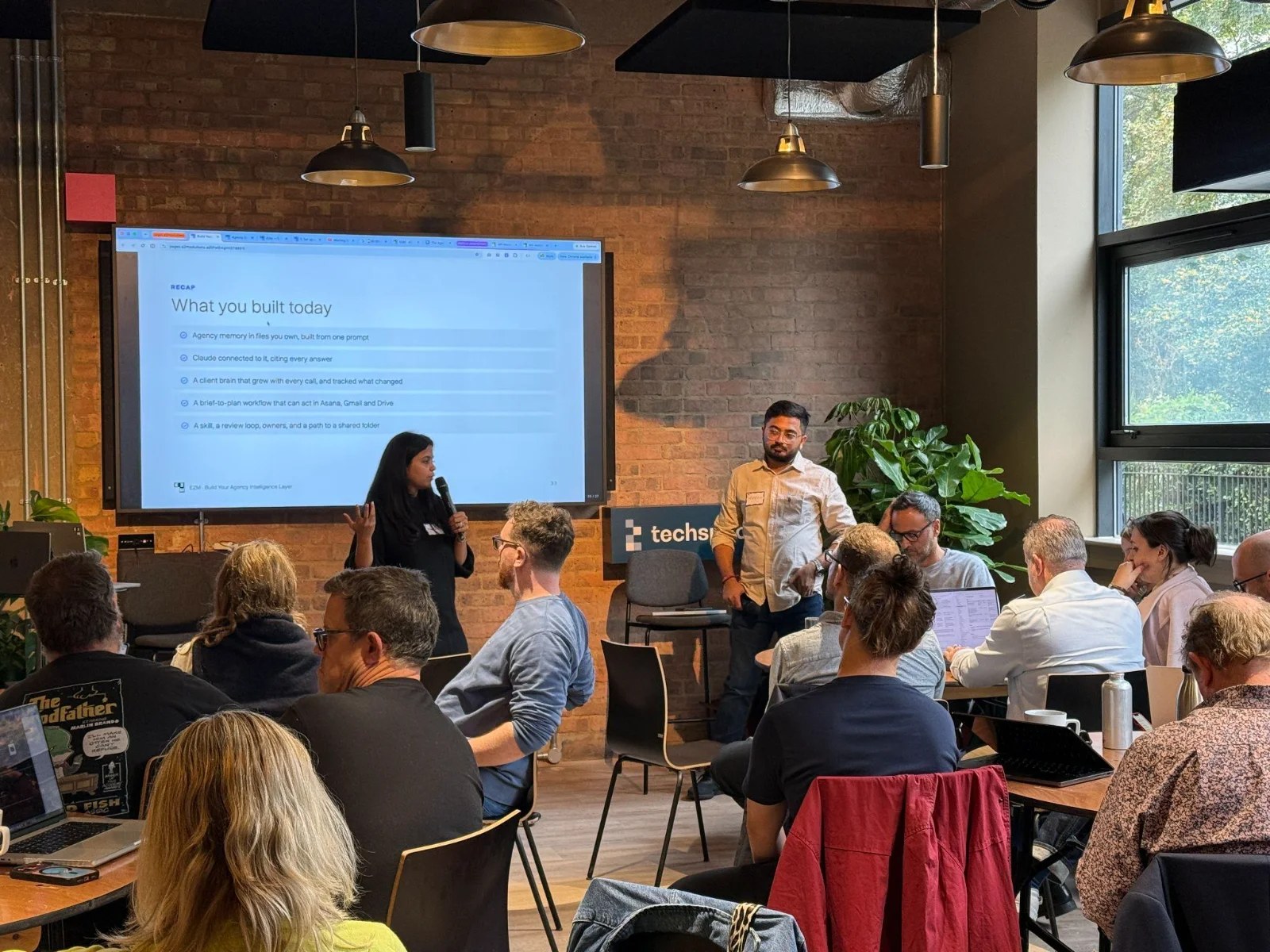
That is the problem we tackled at Build Your Agency Intelligence Layer, a hands-on AI workshop E2M ran in London in October 2026.
It was one of E2M’s first events in London. Instead of watching slides, every agency owner and attendee team opened their laptop and built a working “agency brain” before they left the room.
This AI workshop based article walks you through exactly what they built, so you can try it with your own team. And if you’d rather have it built and run for you, that’s what E2M does every day as a white-label AI partner for agencies.
Where Are Most Agencies On The AI Journey?
Most web & digital agencies are somewhere between stage 2 and stage 3 of five. Here is the journey we shared in the room:
- Chat tools: each person uses ChatGPT, Claude, or Gemini on their own, often with a shared list of ChatGPT prompts for digital agencies.
- Automations: tools like Zapier, Make, or n8n connect your apps.
- Small internal tools: simple apps built for one job.
- Agent teams: The best AI agents for digital agencies working together to handle end-to-end workflows.
- The intelligence layer: shared memory that gets smarter over time.
In 2024, agencies were experimenting with prompt libraries, ChatGPT seats for the team, AI-assisted content and custom GPTs.
Last year 2025, they moved to automations and single-task agents built on popular AI agent frameworks, Zapier, Make, n8n workflows, internal micro apps and AI add-on services.
In 2026, the agencies pulling ahead are building systems: tools connected through MCP, agent suites across delivery, shared memory and context to systems, and the intelligence layer.
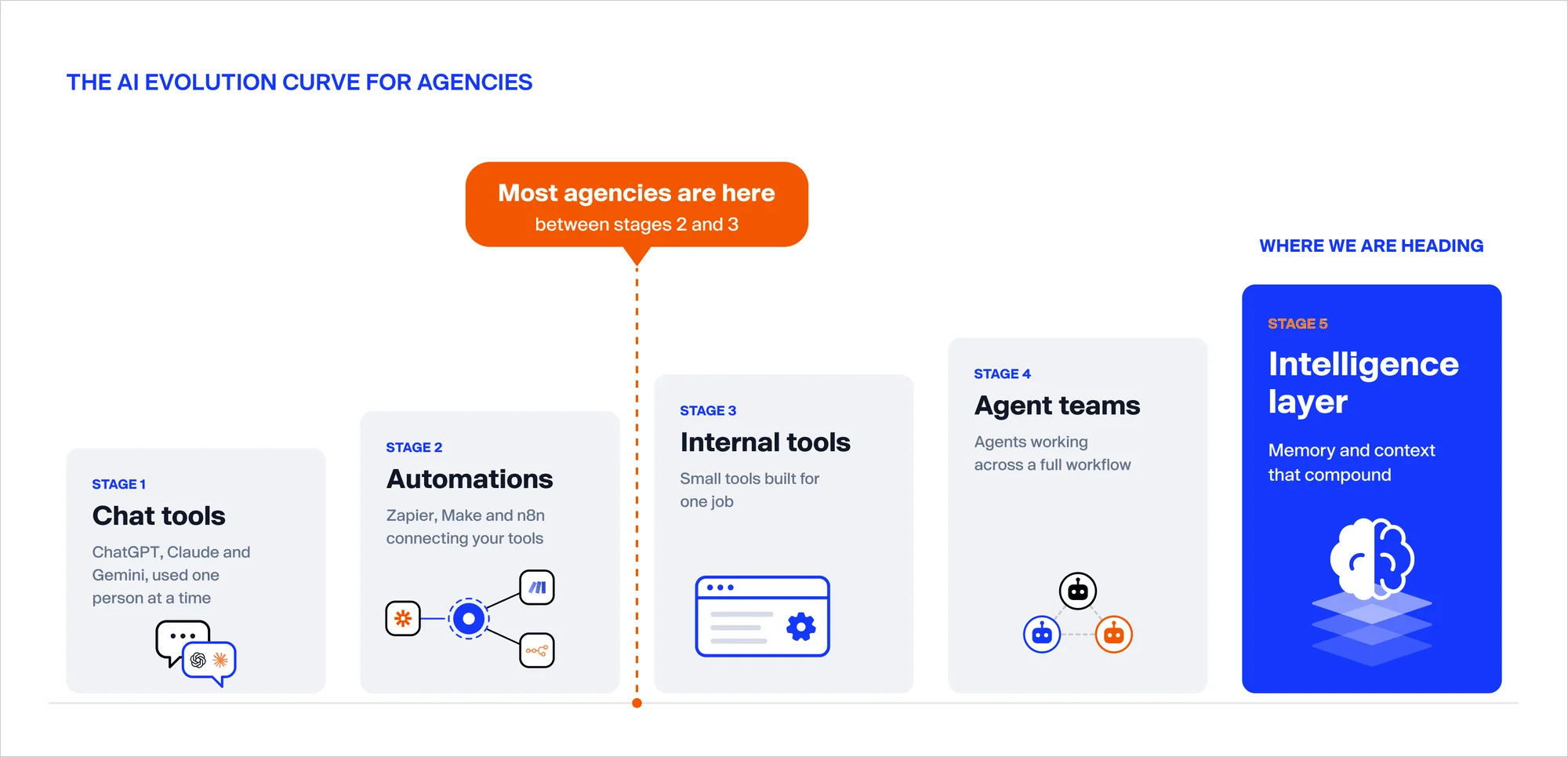
So why do so many agencies stall at stage 2 or 3? In our experience, it’s because every new automation or agent starts with no context. A Zapier flow doesn’t know your onboarding process. An agent doesn’t know what the client said last Tuesday. Without shared memory, each new tool adds more to maintain, not more intelligence.
Stage 5 fixes that. And as we told the room, it is smaller than it sounds.
What Is an AI Intelligence Layer For Agencies?
An AI intelligence layer is a shared memory for your agency that AI tools can read, cite, and update. It holds how your agency works and what every client has said, decided, and promised. Every meeting and correction makes it smarter.
AI Intelligence Layer is made of three simple parts:
- Agency memory: your services, pricing, SOPs and brand voice, saved as plain files.
- Client brains: one folder per client, with their profile, decisions, promises, and key people.
- Connected tools with a review step: AI can act in Asana, Gmail, or Google Drive, but only after a person approves.
Think of it as the colleague who was on every client call, read every SOP, and never forgets a detail. And it always tells you where it got its answer.
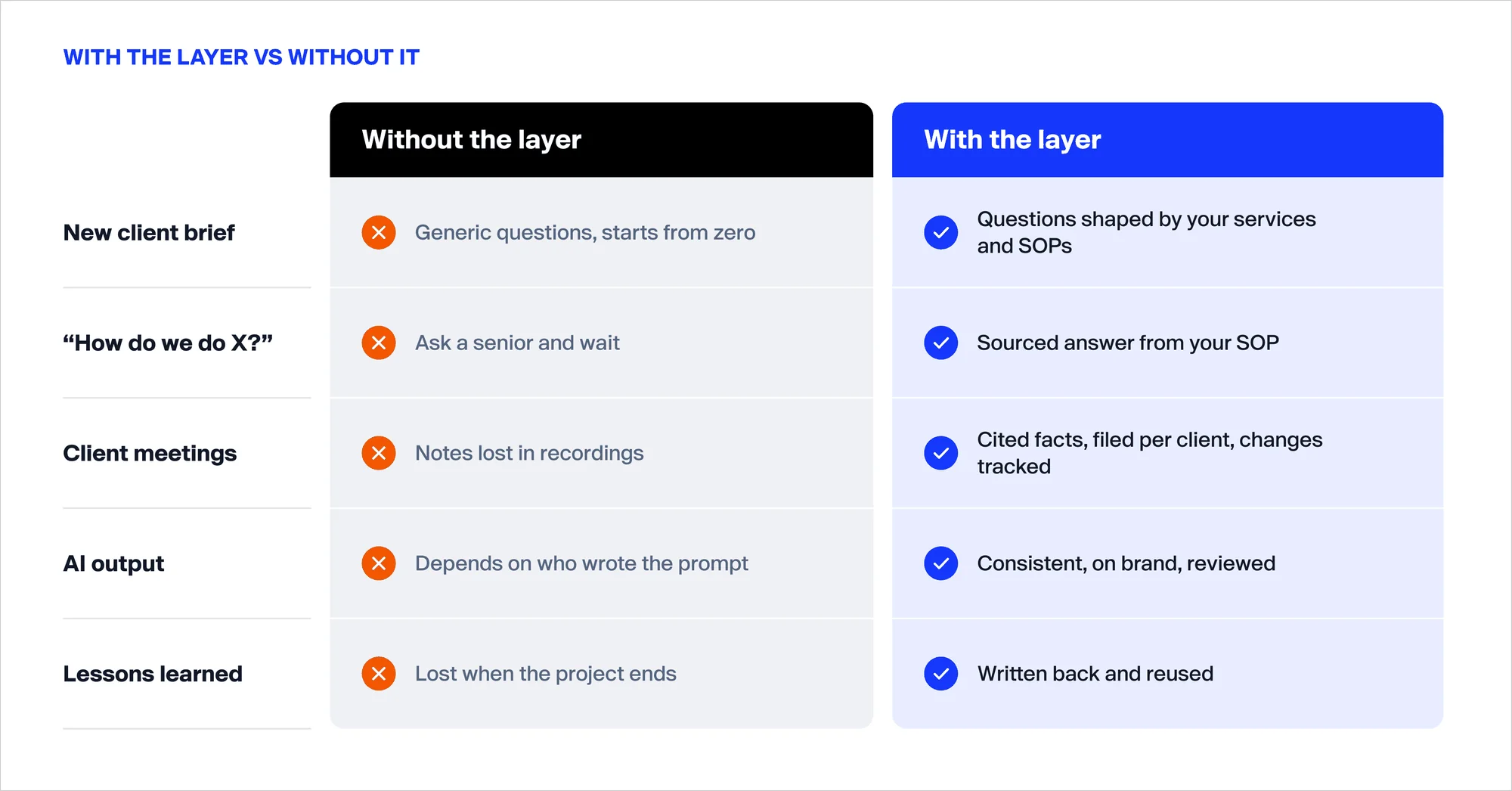
What changes when you have one intelligence layer for an Agency?
| Situation | Without it | With an AI intelligence layer, it |
|---|---|---|
| A new client brief arrives | Generic questions, starting from scratch | Questions based on your own services and process |
| Someone asks “how do we do this?” | Wait for a senior to reply | An instant answer, with the SOP it came from |
| A client call ends | Notes get lost in the recording | Key facts filed to that client, with changes tracked |
| AI writes something | Quality depends on who wrote the prompt | Consistent, on brand and reviewed |
| A project ends | Lessons are forgotten | Lessons are saved and reused |
We have worked with 70+ agencies on AI, and the pattern is clear. Your memory, context, and data are becoming the one asset competitors can’t copy. Everyone can buy the same AI tools. Nobody else has your client history. You can hear how agencies use AI with us in our AI client video testimonials.

“We Set the AI Goal. E2M Made It 10x Better.”
“Started With a Bottleneck. Ended Up With a New AI Revenue Line.”
Where Should You Build an AI Intelligence Layer?
There are three ways to build an AI intelligence layer. Start with the simplest, then move up when your team is ready.
- In Claude (what we built at the workshop): one folder on your laptop, opened in Claude desktop. No servers, no developers. Best for getting started.
- On your own server (such as AWS): shared across the whole team, and you control the data and access. You will need dev support.
- On a managed memory platform (such as Supermemory): someone else runs it for you, with connectors built in. The fastest way to scale.
The folder structure stays the same in all three, so nothing you build today goes to waste.
E2M is a Claude Certified Services Partner, which is why we chose Claude for the hands-on build. If you’re unsure which setup fits your agency, a fractional AI consultant for digital agencies can help you plan it.
How Do You Build an Agency Intelligence Layer? 5 Simple Steps
Here is the exact path workshop attendees followed, from an empty folder to a Agency brain the whole team can use.
Before You Start (5 minutes)
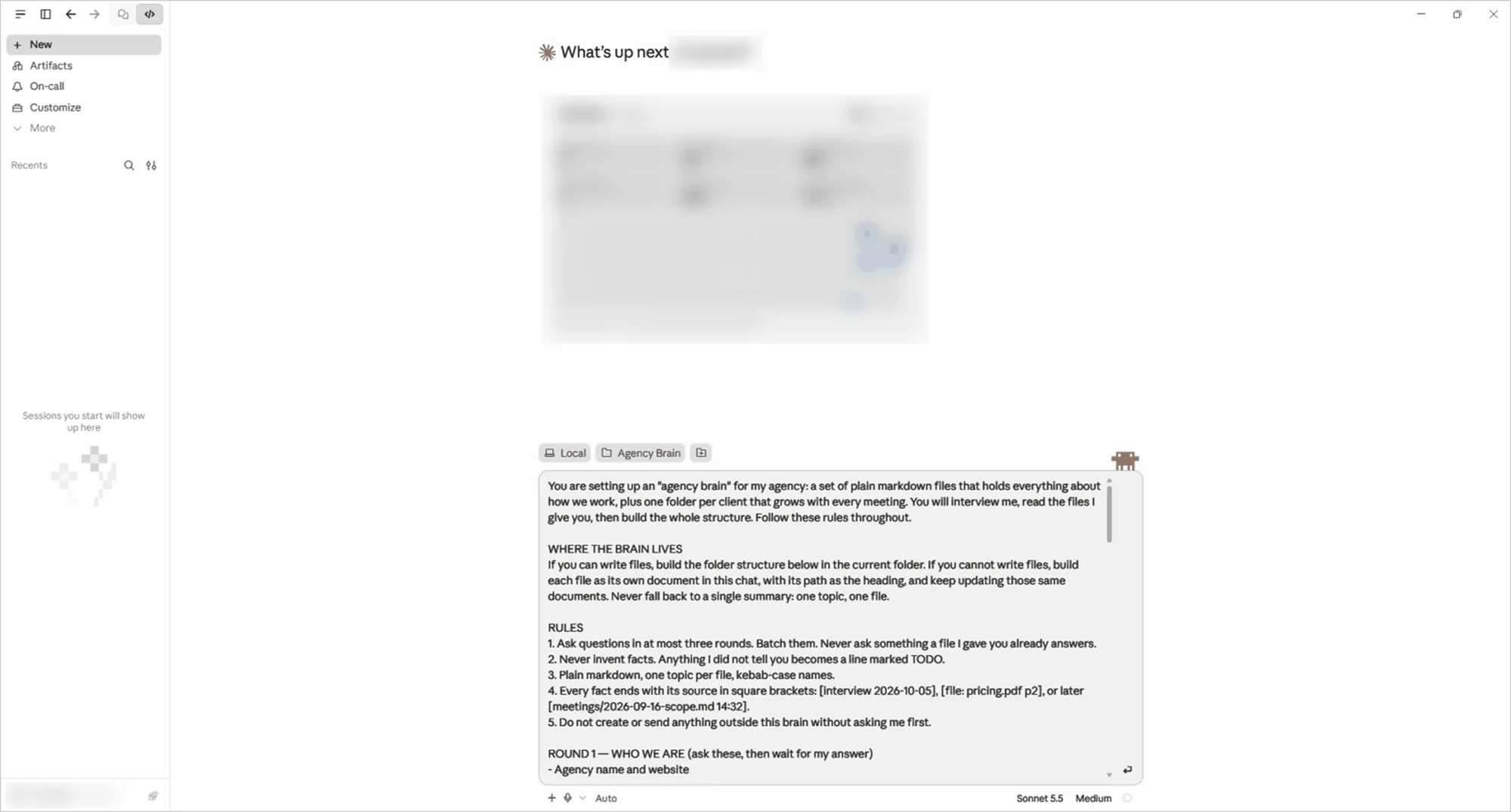
- Create an empty folder on your computer called agency-brain.
- Open Claude desktop, click the Code tab, and open that folder.
- Paste in our setup prompt and send it. Then type start.
That’s it. No downloads, no coding. If you don’t have a Claude desktop, you can paste the same prompt into a Claude Project instead.
Step 1: Teach It Your Agency
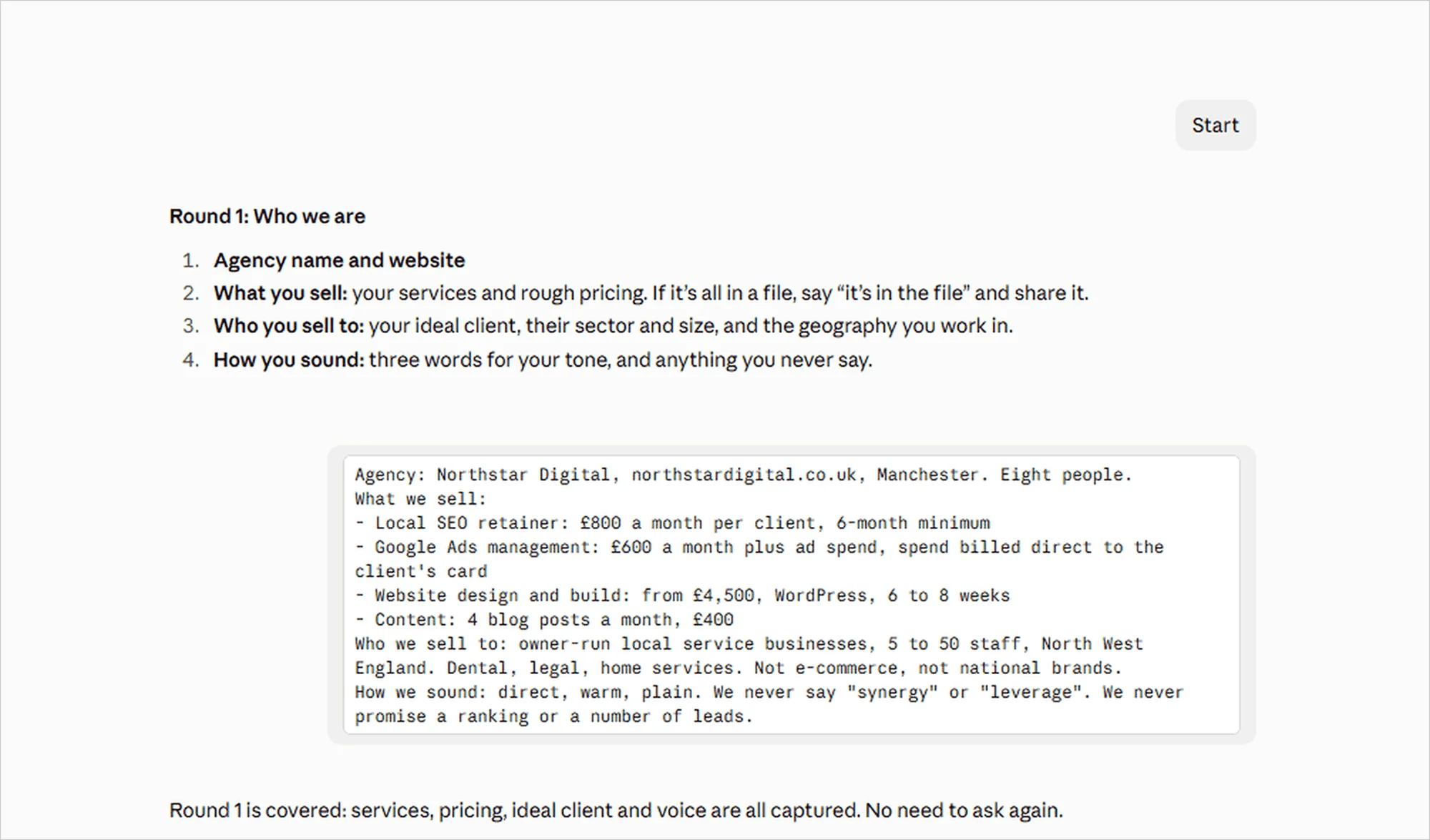
Once you type “start”, Claude interviews you, much like a new hire would on their first day. It asks three short rounds of questions:
- Who you are: your services, pricing, ideal clients and the tone your agency uses.
- How you work: you share one SOP or checklist, such as your client onboarding checklist. Claude reads it and tells you what it will do with it.
- Where things live: where you keep meeting notes, files, tasks and email, plus one current client to set up first.
When the interview is done, Claude organizes everything into neat folders: one for your agency’s identity, one for your processes, and one for each client. It also writes a short report listing anything it still doesn’t know.
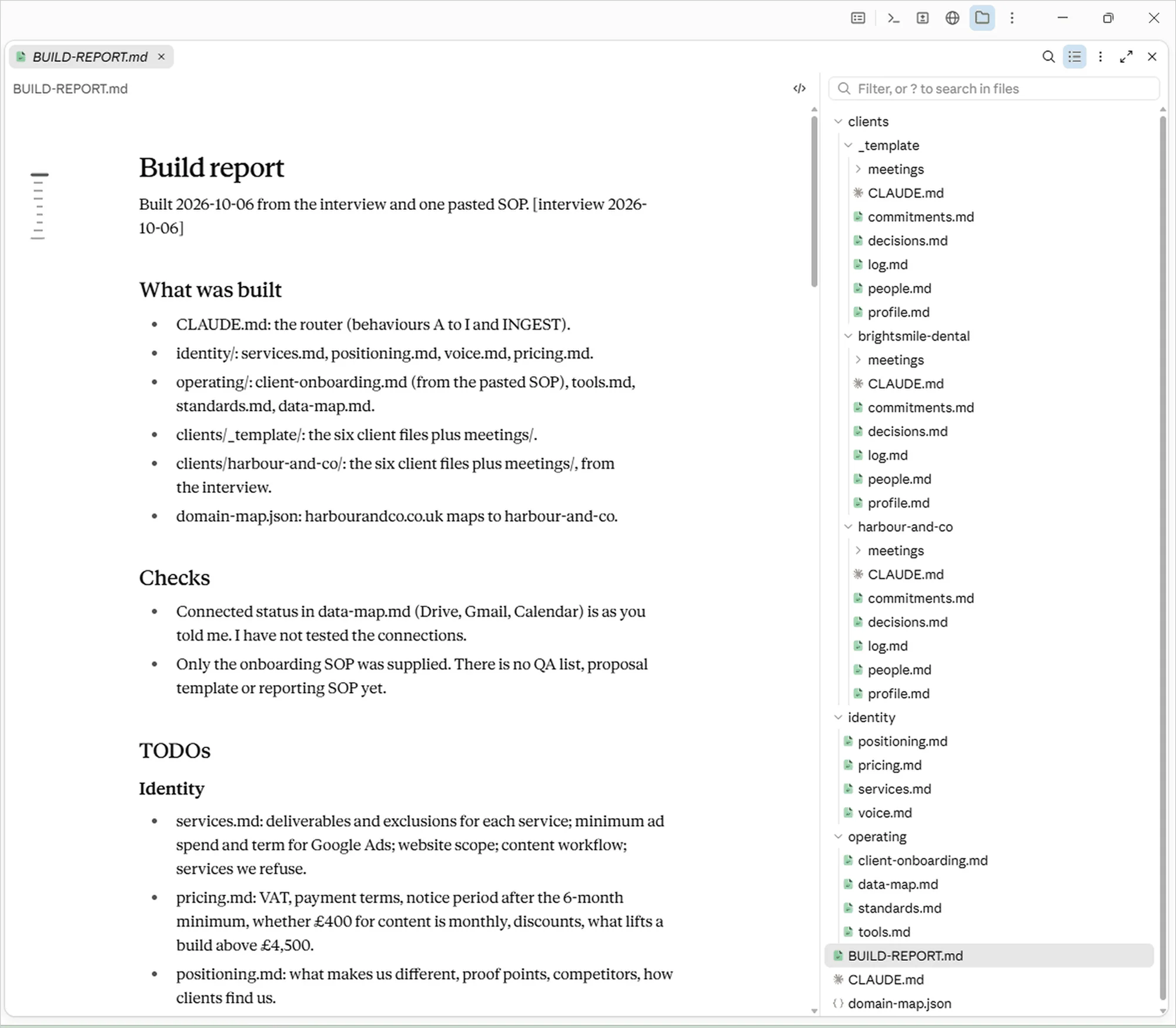
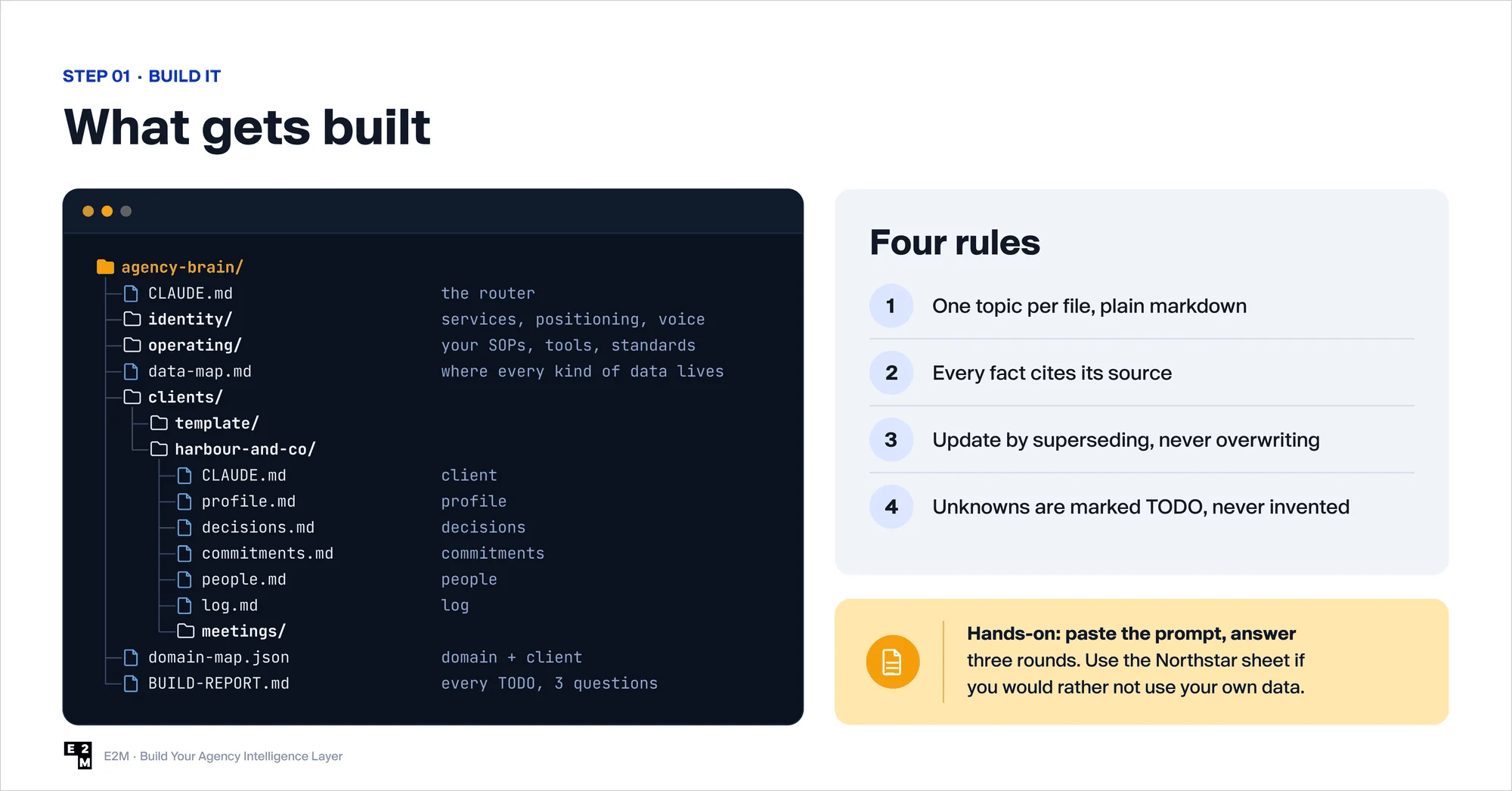
Four simple rules keep this memory trustworthy:
- One topic per file.
- Every fact shows where it came from.
- Old information is replaced, but never deleted.
- If something is unknown, it is marked “TODO”. Claude never guesses.
Tip: Not ready to use your own agency’s data? Attendees could use Northstar Digital, a made-up eight-person agency in Manchester, with sample answers ready to paste.
Step 2: Ask It Questions
Now test it. Ask anything a junior team member might ask a senior lead, like “What’s included in our local SEO retainer?” or “What’s the first thing we do after a client signs?”
Every answer comes with its source, so you can see which file it came from. And here is the part attendees loved most: when Claude doesn’t know something, it says “not in memory” instead of making it up. It then offers to add the missing detail.
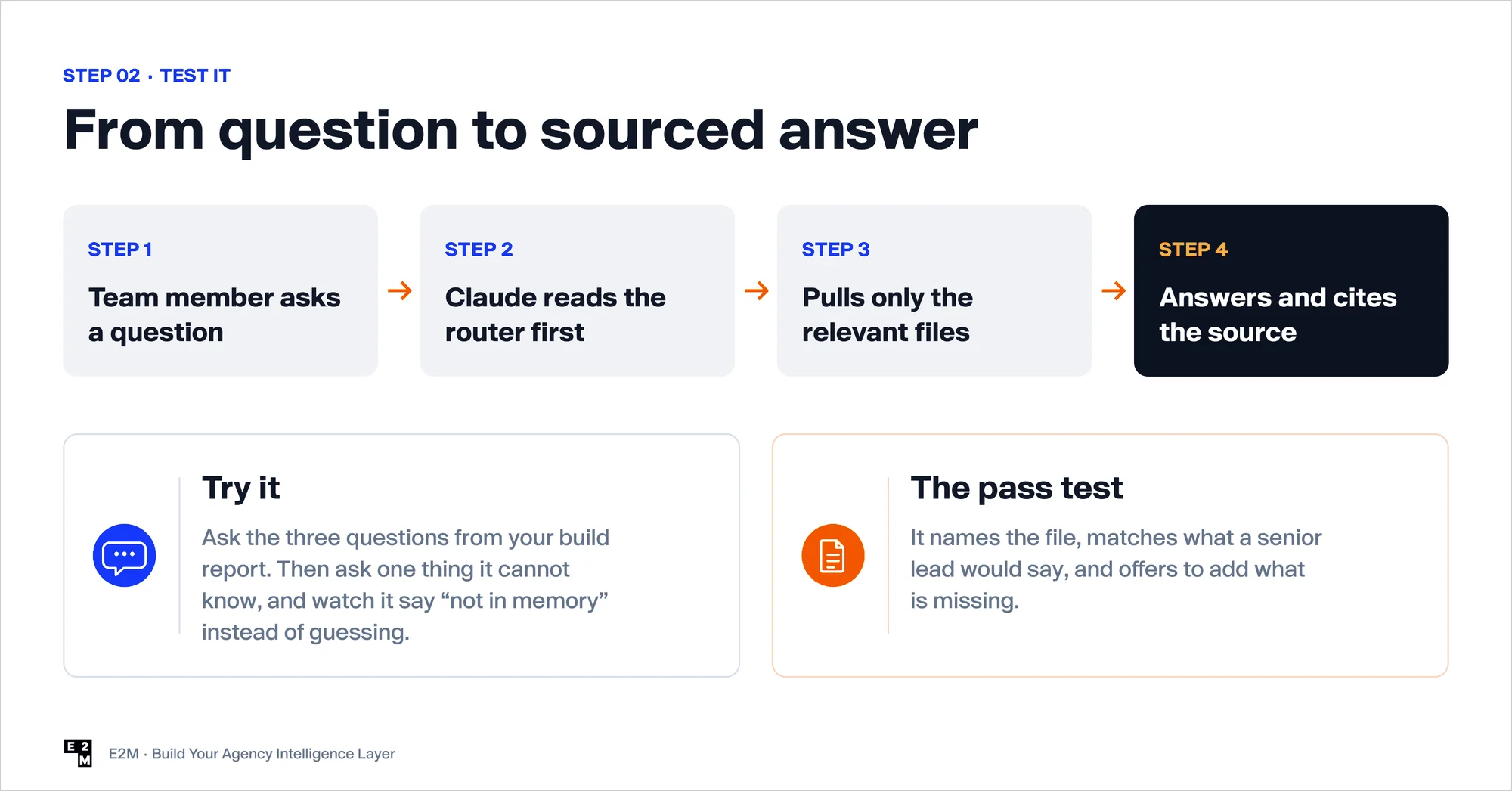
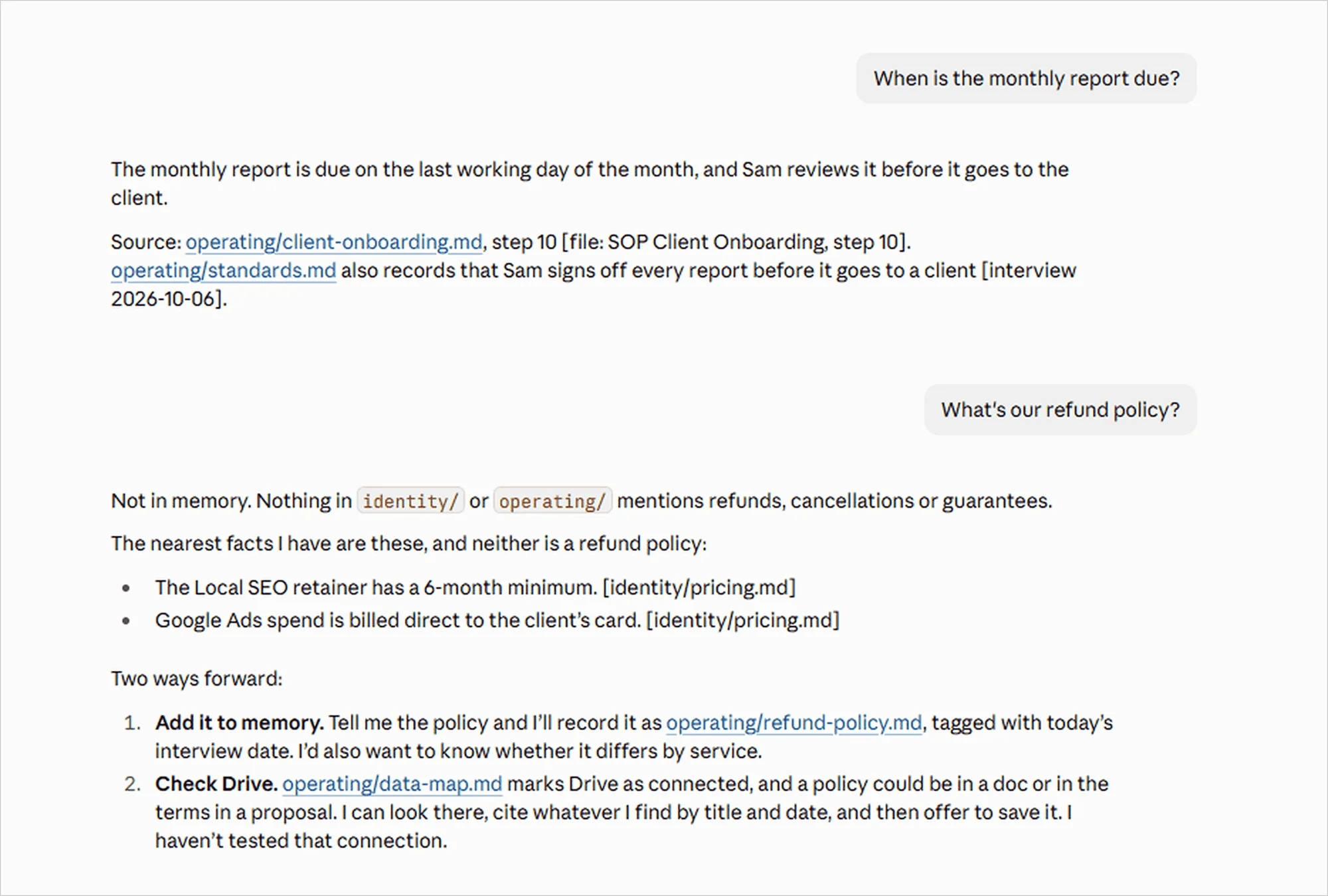
A simple test of whether it’s working: does the answer match what your most experienced team member would say? If yes, you are ready for Step 3.
Step 3: Turn a Messy Brief Into a Real Plan
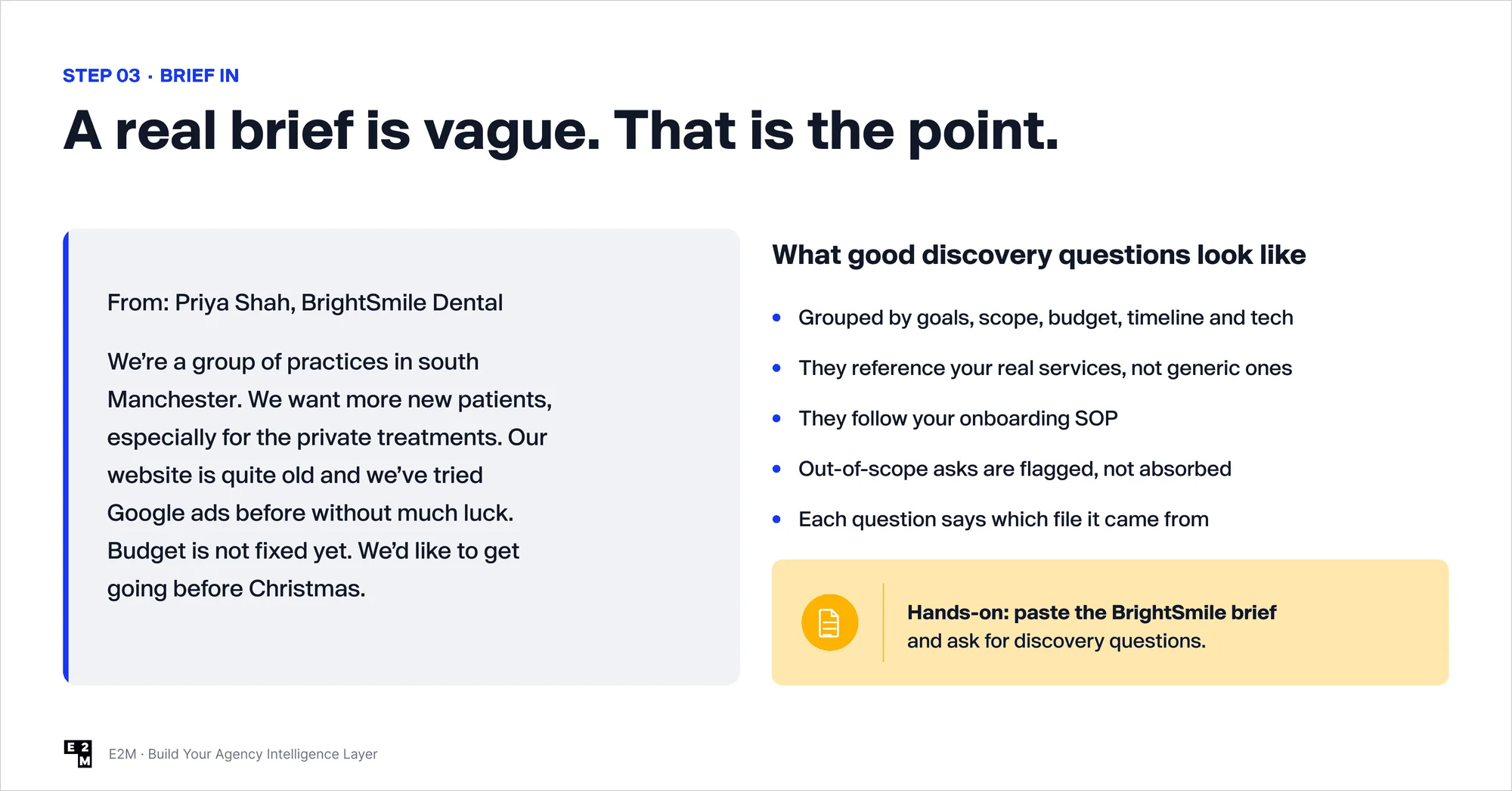
This is where it gets exciting. To show how it works, we gave everyone the same sample client: BrightSmile Dental, a made-up group of dental practices in south Manchester.
The brief was vague, like most real briefs. They wanted more patients for private treatments. Their website was old. Google Ads hadn’t worked for them before. The budget was “not fixed yet”. And they wanted to launch before Christmas.
First, ask discovery questions. Claude didn’t give generic questions. It asked the ones your onboarding process calls for, grouped by goals, budget, timeline and tech. It even flagged requests outside your services.
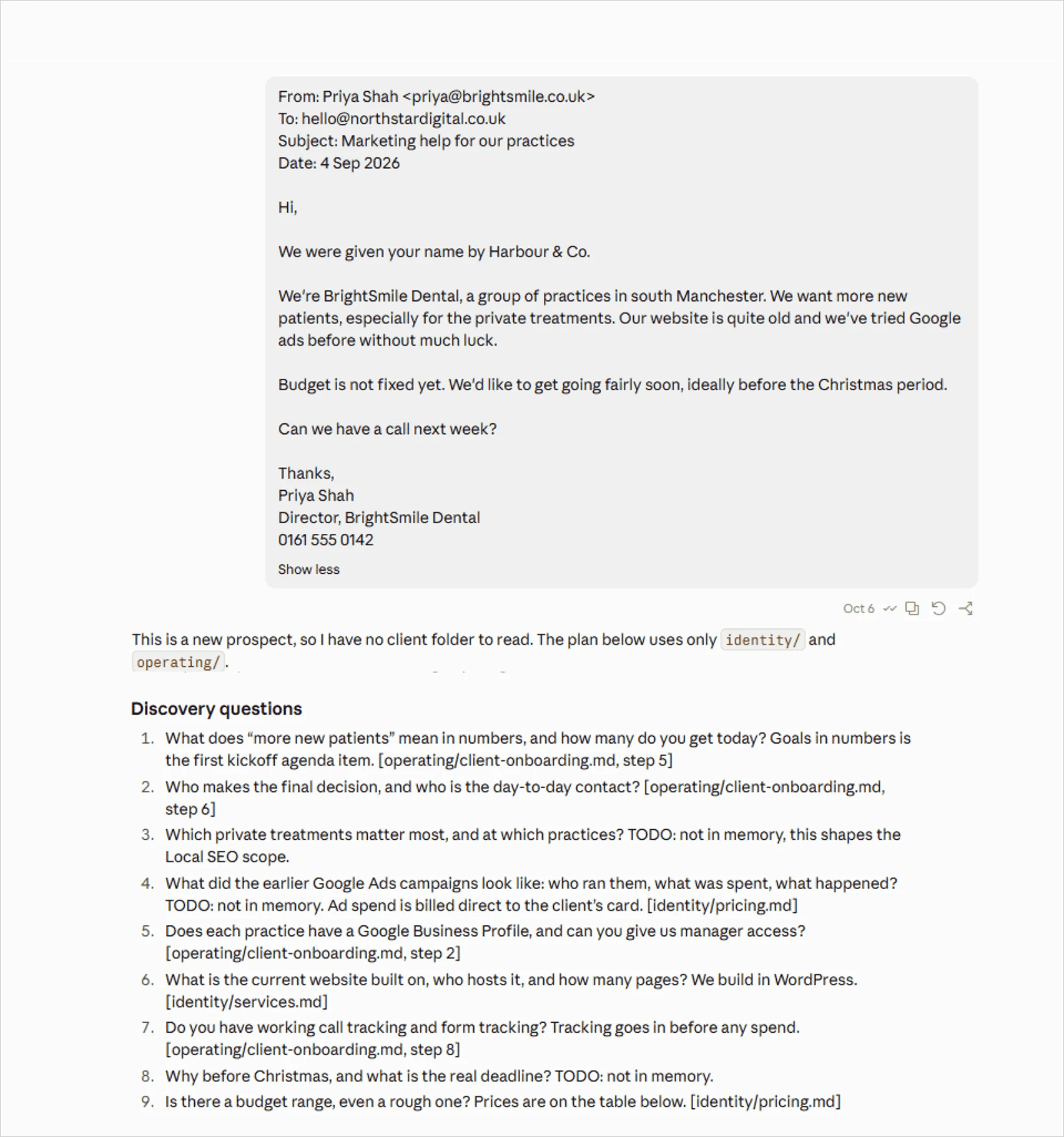
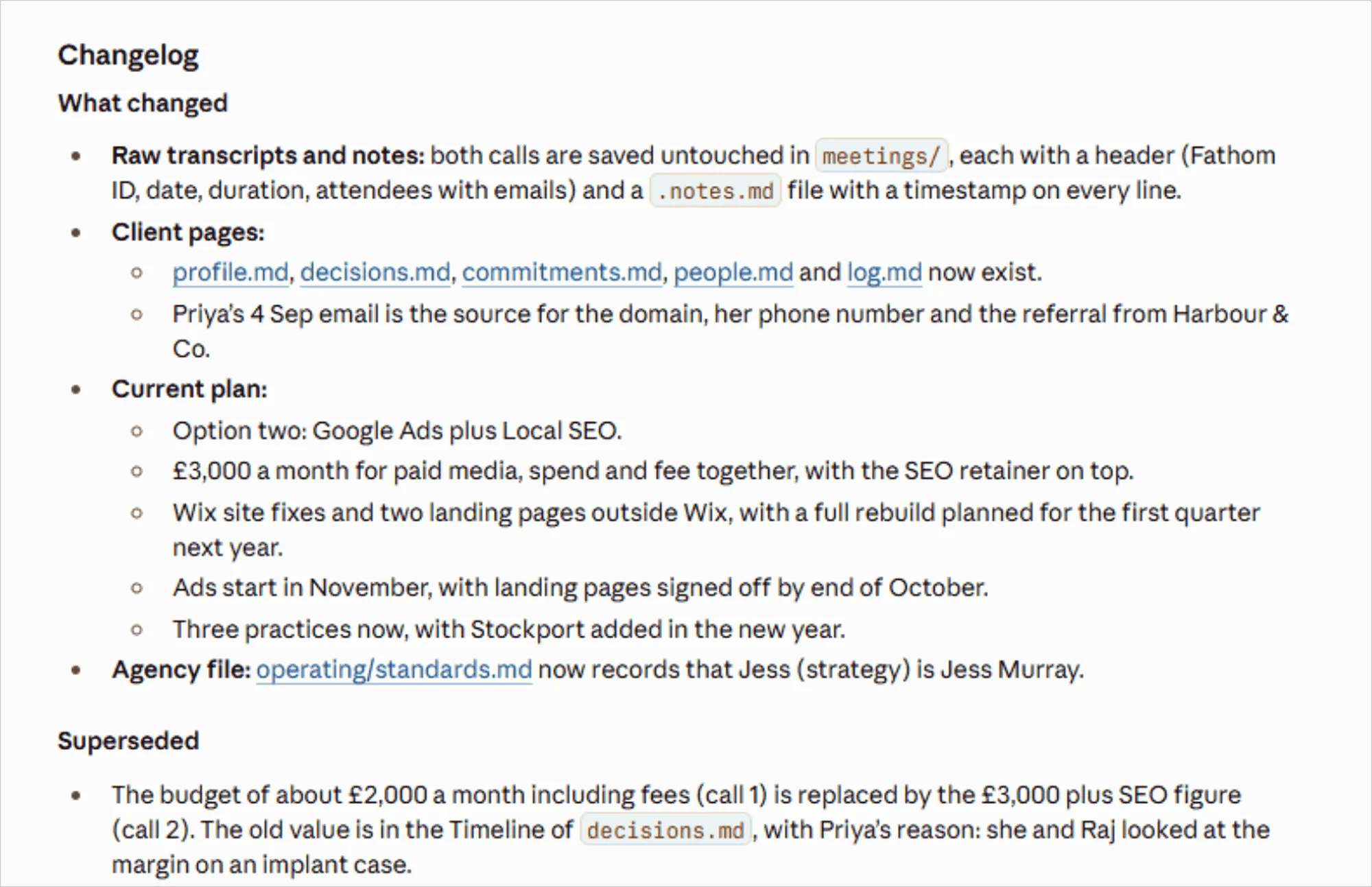
Next, paste in the client calls. Attendees pasted two call transcripts, a discovery call and a scope call a week later. Claude filed each one to BrightSmile’s folder and pulled out the facts, decisions, and promises.
Then it caught two things a busy account manager could easily miss:
- The budget changed. It was about £2,000 a month in the first call and £3,000 in the second. Claude updated it and kept a note of the old figure, so nothing was lost.
- The facts clashed. The client first said they had three practices, then mentioned a fourth one opening in Stockport. Claude flagged it as a conflict for a person to check, instead of quietly picking one.
Then just type “plan BrightSmile”. Claude builds a delivery plan based on your own onboarding process and both calls. It uses the latest budget, treats the new practice as phase two, gives every task an owner and a date, and shows the source for every line.
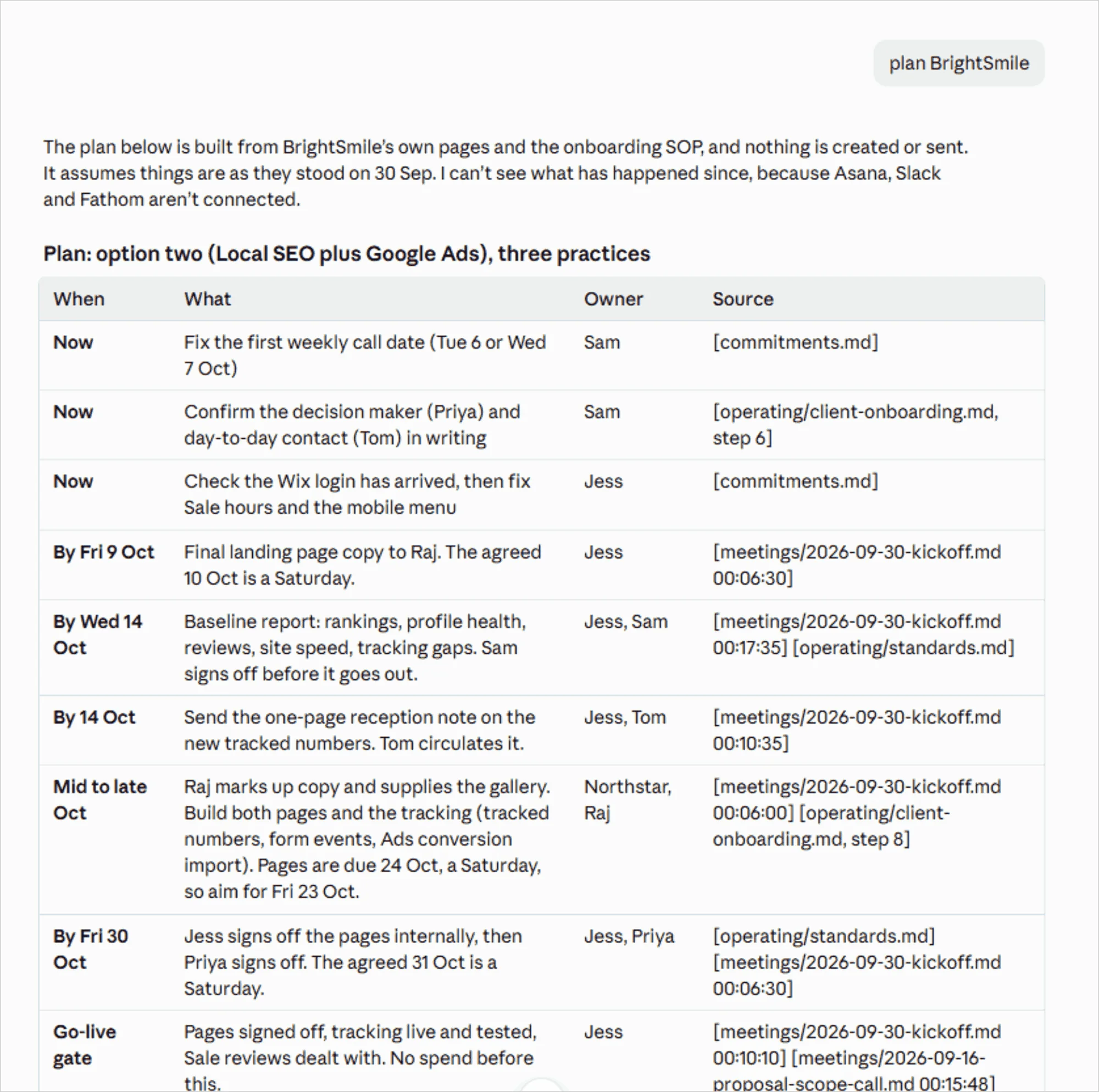
Finally, let it act, with your approval. If your tools are connected, Claude can create tasks in Asana, check Gmail for files the client promised to send (and draft a reminder if they haven’t), and save the plan to Google Drive. It shows you the full list first. Nothing is created or sent until you say yes.
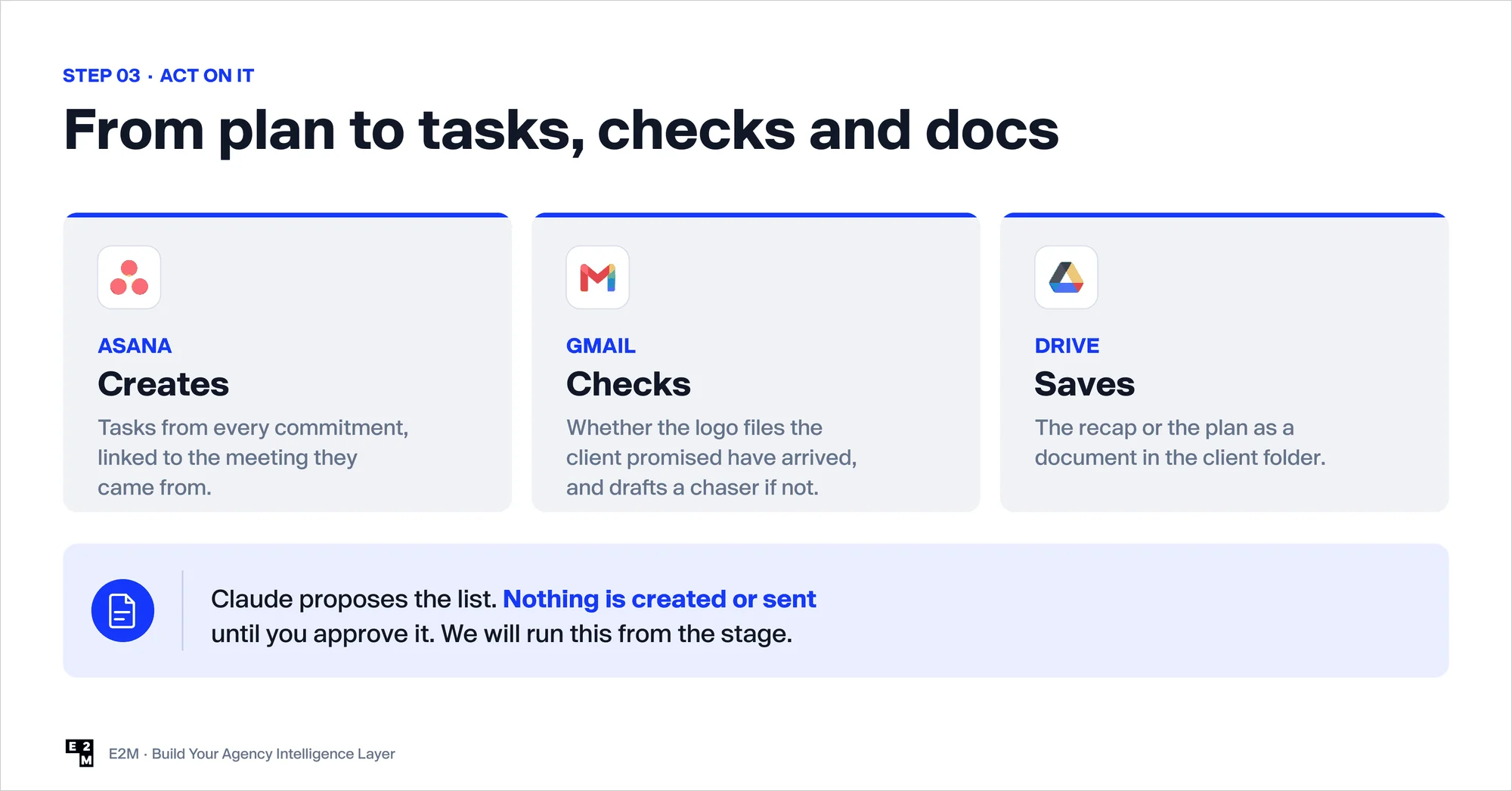
As we put it on stage: AI drafts, your people decide. For more on keeping people in the loop, see our agency AI delivery playbook.
Step 4: Correct It Once, And It Remembers
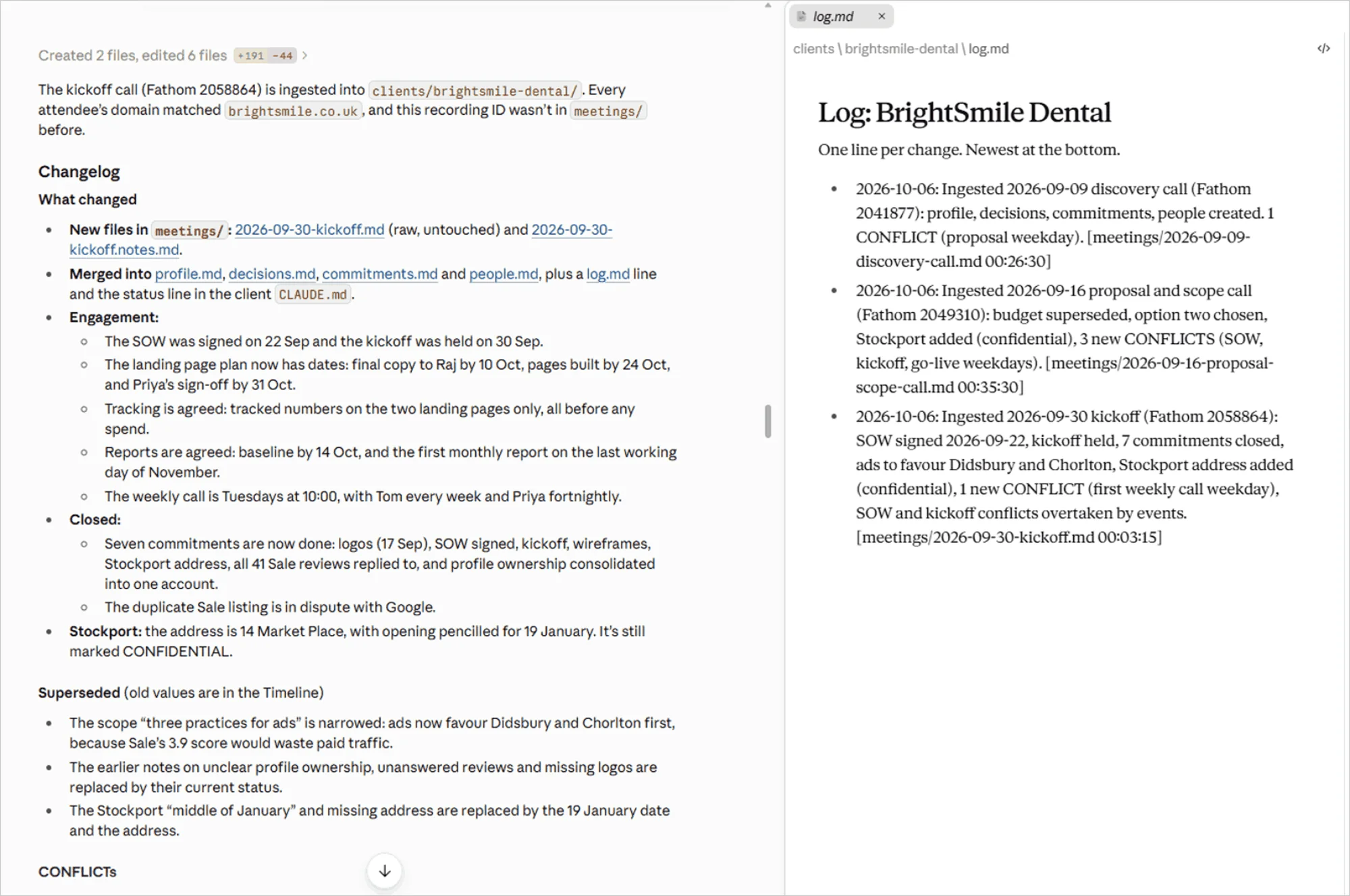
Agency owners attendees then pasted in a third call: the kickoff meeting. This time they gave no instructions at all. Claude recognized the client and filed it automatically.
Next, they corrected something on purpose, such as telling it the practice manager had changed. Claude updated the client’s file and logged the change. Every future answer now uses the corrected information.
That is the real power of an intelligence layer. It works in a simple loop:
- Claude files a call or drafts a plan.
- A team lead reviews it and fixes anything wrong.
- The fix is saved to memory.
- The next output starts smarter.
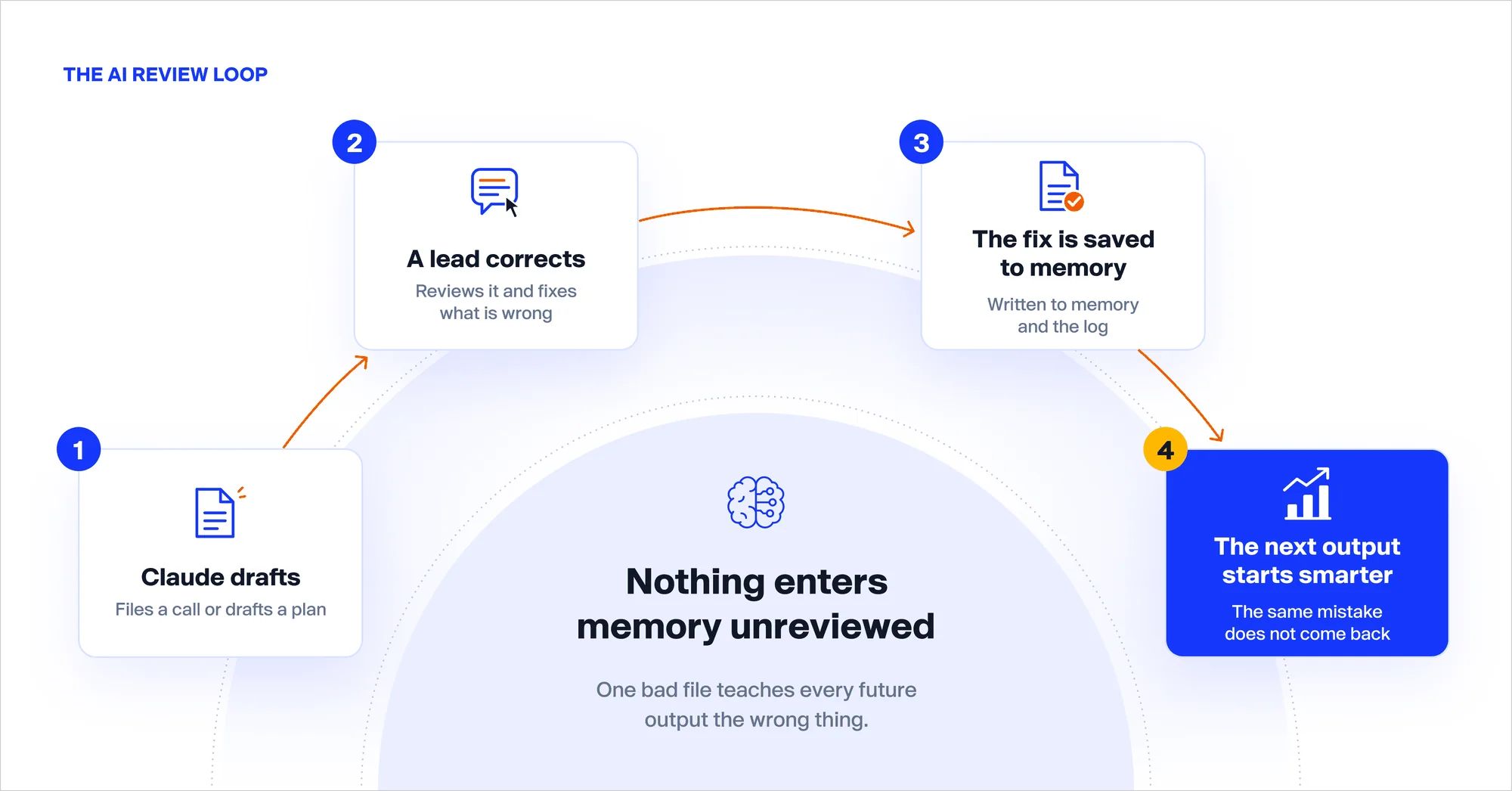
Two lessons from the AI workshop London 2026 room are worth remembering:
- Never let anything into memory without a review. One wrong fact can mislead every answer that follows.
- Save the reason, not just the rule. When AI knows why you made a decision, it can handle situations your rules never covered.
Once a routine like filing calls works well, you can turn it into a reusable skill, a saved set of instructions everyone on your team runs the same way.
See exactly how this can work inside your agency (and for your clients)
 Book an AI Strategy Call
 A brain on one laptop is a nice demo. A brain your whole team uses changes how your agency runs. It matters even more when you integrate white-label services into your agency workflow, because your partners can work from the same memory as your team.
Getting there is simple:
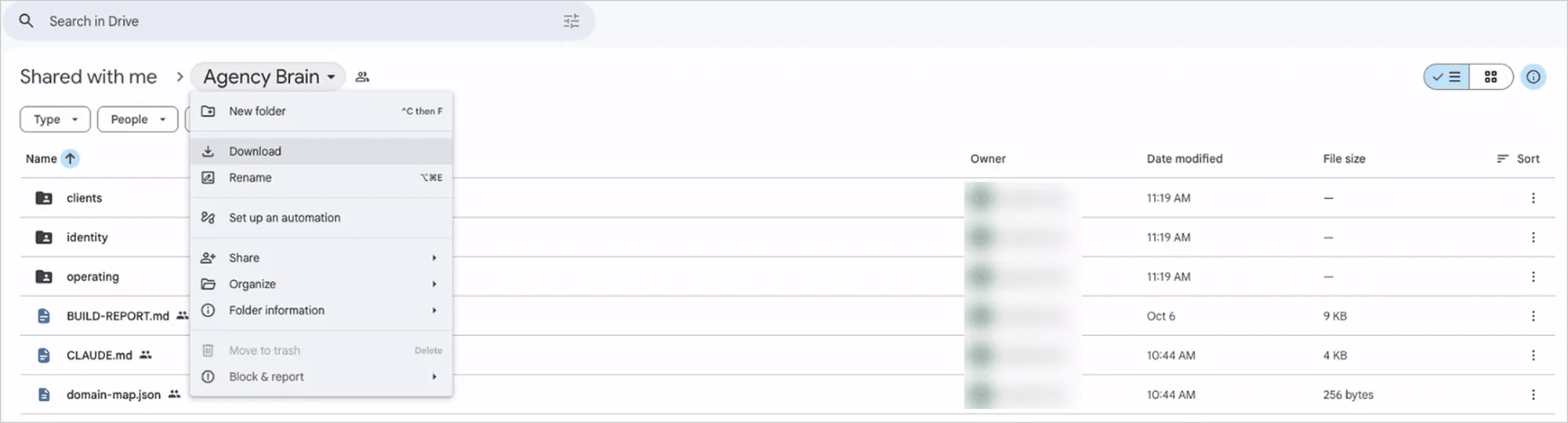
- Move it: put the agency-brain folder on a shared Google Drive.
- Share it: everyone on the team opens it in Claude. Same memory, same rules.
- Automate it: have every client call land in an inbox and file itself overnight.
To keep it accurate, give each part an owner:
| Part of the brain | Who owns it | How often to review |
|---|---|---|
| Agency identity | Leadership | Every quarter |
| Processes and SOPs | Delivery leads | Every month |
| Client folders | Account managers | After every meeting |
| Where data lives | Operations | When a tool changes |
| The core rules | Your AI lead | Every month |
One more habit we recommend: keep a list of the questions it can’t answer yet. That list tells you exactly what to add next. (It’s the same discipline that helps you use your white-label team efficiently: clear context in, better work out.)
We ended with a quick bonus demo in Slack. A team member asked, “What did BrightSmile decide in the scope call?” Claude replied in seconds: local SEO for the dental practices plus Google Ads management, starting in November, with the budget raised from £2,000 to £3,000 a month. It also cited the exact call and timestamp.
What Did Agency Owners Take Home from the London AI Workshop 2026?
Every agency owner left London with practical AI workflows they could start using the very next morning:
- A centralized knowledge base built from their agency’s own files, making internal knowledge easier to access and use.
- A reliable AI assistant that provides source-backed answers and acknowledges when it doesn’t have enough information.
- A growing client intelligence system that organizes client information, captures call insights, and tracks changes over time.
- An AI-powered execution workflow that turns briefs into actionable plans, creates tasks, checks emails, and saves documents with human approval.
- A roadmap to team-wide adoption to help agency owners move beyond individual AI experiments and integrate AI into their team’s everyday workflows.

Start Building Your Agency’s Memory Today
AI tools are no longer what sets agencies apart. Anyone can buy the same subscriptions.
What your competitors can’t simply buy is your agency’s memory: how you onboard clients, what each client decided and why, and what your team has learned along the way. The sooner you start capturing that knowledge, the more value it can deliver over time. Building this institutional knowledge is also one of the practical ways to increase digital agency profitability.
You can start this week with Claude, one folder, and one practical workflow. When you’re ready to scale AI across your agency, E2M can be your white-label AI partner, building micro-apps, dashboards, AI-powered websites, and design solutions while implementing and managing Claude-powered automation workflows behind the scenes—all while you retain ownership of the client relationship.
Agencies can also resell E2M’s AI services through our AI Service Reseller Partner Program, alongside our white-label digital marketing services and white-label GEO services.
Frequently asked questions
You can start by creating a folder for your agency’s services, pricing, SOPs, and client information, then opening it in Claude Desktop with a setup prompt. Organize the knowledge into files, ask questions to test the answers, review corrections, and gradually connect tools and share the system with your team.
An AI intelligence layer is a shared knowledge system that AI tools can read, cite, and update. It gives your team access to agency processes, service information, client decisions, and past conversations, helping reduce repetitive work and keep delivery consistent.
Yes. With the right knowledge and tool connections, AI can generate client discovery questions, turn briefs and call notes into delivery plans, identify conflicting information, and propose tasks for tools such as Asana. Human approval helps ensure that actions are reviewed before execution.
You can use Claude to organize agency knowledge, summarize client calls, track decisions, create project plans, and prepare actions across connected tools. Start with one repeatable workflow, verify the outputs, and expand automation as your processes become more reliable.
A custom GPT typically relies on configured instructions and knowledge, while the intelligence layer described in this guide is designed to maintain structured agency and client information over time. It records decisions, tracks changes, preserves sources, and incorporates reviewed corrections into future work.
Start by organizing agency knowledge and client information into a consistent folder structure. You can share the folder through Google Drive and establish ownership and review rules for each section. For more advanced team-wide access, you may need a shared server or managed memory platform.
Yes. An AI intelligence layer can store client call notes, decisions, commitments, and changes in dedicated client folders. When new information conflicts with existing records, the system can flag the discrepancy for review rather than silently replacing the earlier information.
Require AI-generated answers to cite their sources, mark unknown information clearly, and flag conflicting facts for human review. Regularly reviewing updates and correcting inaccurate records helps maintain a more reliable knowledge base.
Security depends on how the system is configured, where information is stored, and which tools have access. Keep client information organized with appropriate access controls, review your AI providers’ data policies, and obtain any required client permissions before processing sensitive information.
Yes. Agencies can partner with a white-label AI provider to deliver AI workflows, internal tools, dashboards, and automation under their own brand. This lets agencies expand their AI services while maintaining the client relationship.