

An Educational, Agency-Focused Guide for Digital Agencies Seeking the Right Tool, and the Right White Label Partner
Looking for a way to create beautiful WordPress pages without dealing with complicated code? WordPress page builders are built for exactly that.
They let you design full layouts visually – sections, columns, text, images, and forms, using drag-and-drop tools instead of HTML or CSS. The result is faster builds, easier edits, and fewer blockers during development.
Table of Contents
- 1. Elementor
- 2. Divi Builder
- 3. Gutenberg + Block Libraries
- 4. SeedProd
- 5. Oxygen Builder / Bricks Builder
- 6. Beaver Builder
- 7. Quick Comparison: Which WordPress Page Builder Fits Your Agency?
- 8. How to Choose the Right WordPress Page Builder
- 9. White Label Page Builder Services: Where Builder Choice Meets Delivery Reality
- 10. FAQs: WordPress Page Builders for Agencies in 2026
The WordPress ecosystem now includes a wide range of page builders, each optimized for different needs. Some focus on visual control. Others emphasize speed, clean output, or structured layouts. Choosing the right WordPress builders depends on the type of sites you build and how those sites need to perform over time.
In 2026, WordPress page builders influence far more than design:
- Build speed and turnaround time
- Layout consistency across pages and projects
- Core Web Vitals and SEO performance
- Editor safety for post-launch changes
- Long-term maintenance and scalability
Even if a WordPress page builder is already part of your workflow, revisiting this decision matters. Performance standards are higher. SEO expectations are stricter. WordPress itself has evolved, particularly with the advancement of the Gutenberg block editor and enhanced WordPress CMS capabilities.
This guide breaks down the 6 best WordPress page builders for 2026, showing where each one fits and what it does well, whether you’re launching a new WordPress website design project or managing ongoing client projects.

1. Elementor: The Most Versatile WordPress Page Builder for Agencies
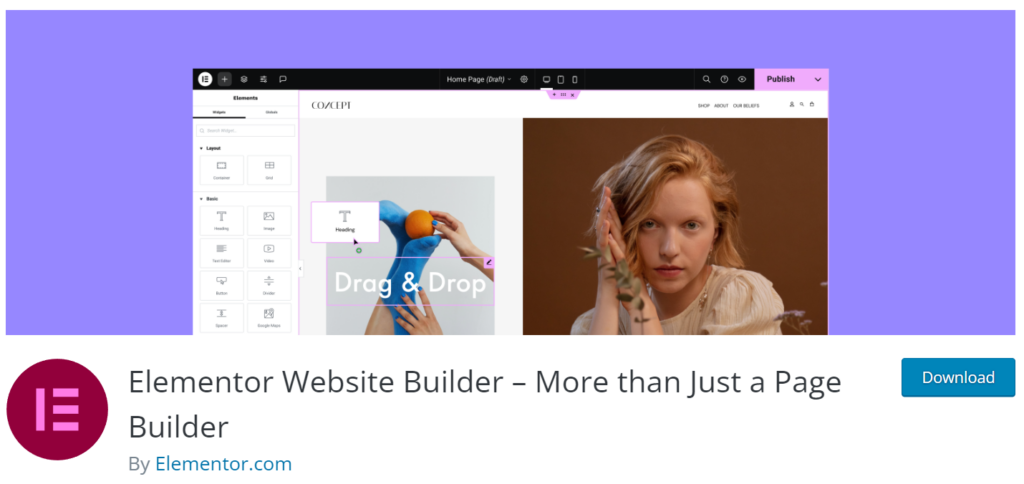
Since its launch in 2016, Elementor has become one of the most widely used page builders in the WordPress ecosystem. Its strength lies in visual control without forcing rigid templates or heavy custom code.
Layouts, spacing, breakpoints, and styling can be adjusted directly on the page, making it easy to build polished designs without slowing down delivery. This balance between flexibility and speed is the reason Elementor continues to be widely adopted in 2026.
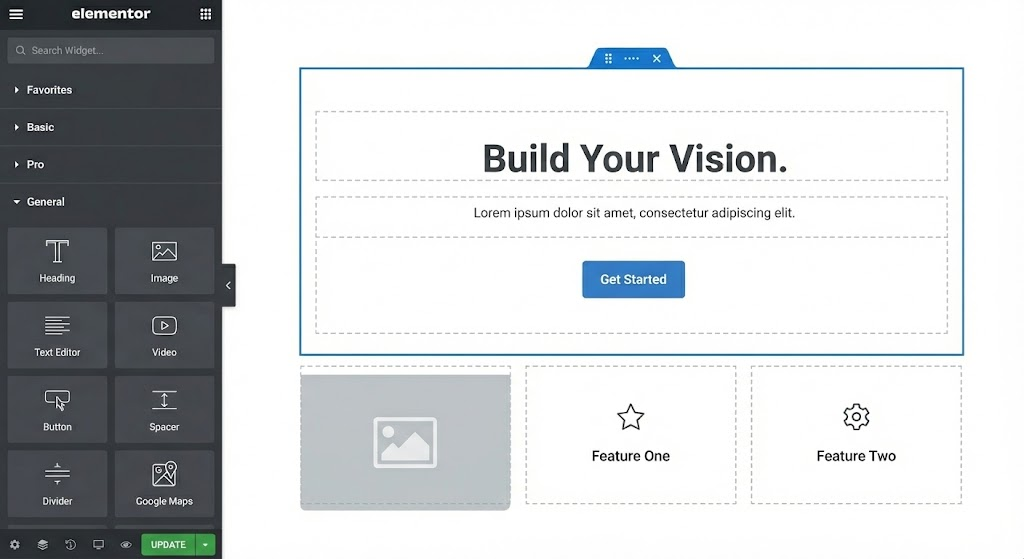
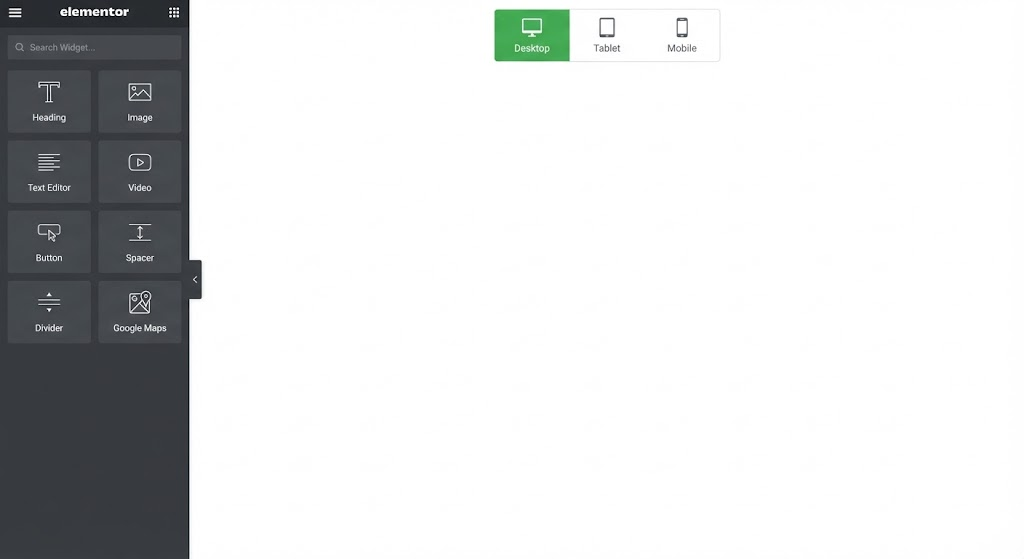
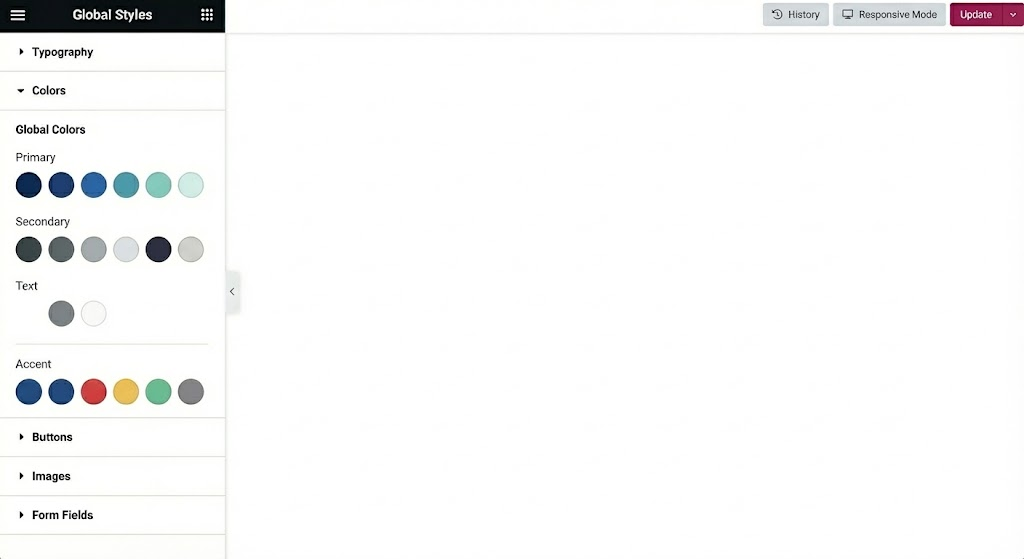
Today, it powers millions of websites and holds roughly 60% market share among WordPress page builders, making it the default choice for many digital agencies and development teams.
How Elementor Is Evolving for 2026
Recent updates focus on reducing manual effort while improving control over structure and performance.
- AI-assisted page design and content workflows
- Expanded dynamic content for templates and custom post types
- More granular control over asset loading and output
These additions are designed to remove repetitive work, not override design or development decisions.
Where Elementor Performs Well
Elementor works best in environments that value visual precision and fast iteration.
Key strengths include:
- Fine-grained control over layouts and responsive design
- A large ecosystem of templates and extensions
- Editing permissions that allow safe content updates
- Broad compatibility with WordPress themes, SEO tools, and marketing plugins
This makes it suitable for design-led and conversion-focused projects.
Best-Fit Use Cases
Elementor is a strong choice for:
- Marketing websites and service-based WordPress sites
- Multi-industry WordPress builds
- Projects requiring frequent layout updates
- Teams onboarding designers or editors quickly
Reusable templates and global components help maintain consistency across pages and projects.
Performance Considerations
Elementor’s flexibility requires structure. Without clear standards, pages can accumulate unnecessary widgets, scripts, and visual effects.
To maintain strong Core Web Vitals:
- Limit decorative elements and animations
- Control third-party add-ons
- Use optimized WordPress hosting and caching
- Define clear internal usage guidelines
Elementor performs best when treated as a controlled system, not an open canvas.
Elementor remains a solid choice for teams that prioritize visual flexibility, speed, and a mature ecosystem. It may not produce the lightest output by default, but with disciplined usage and clear standards, it supports consistent, high-quality WordPress builds across a wide range of projects.
2. Divi Builder: An All-in-One Design System for Value-Driven Agencies
Divi Builder, developed by Elegant Themes, has been part of the WordPress ecosystem for more than a decade. What started as a visual theme has evolved into a combined page builder and WordPress theme builder designed around a single, cohesive design system.
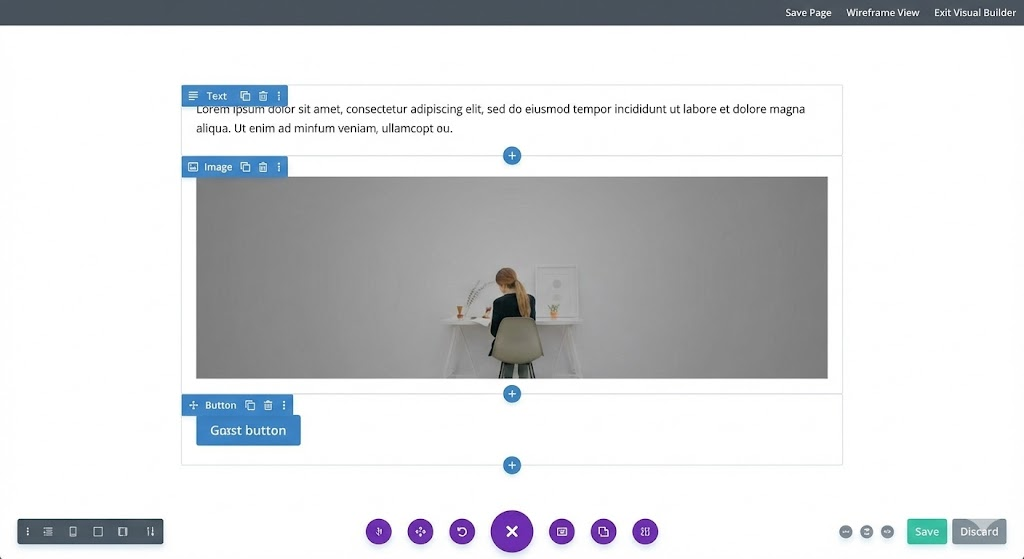
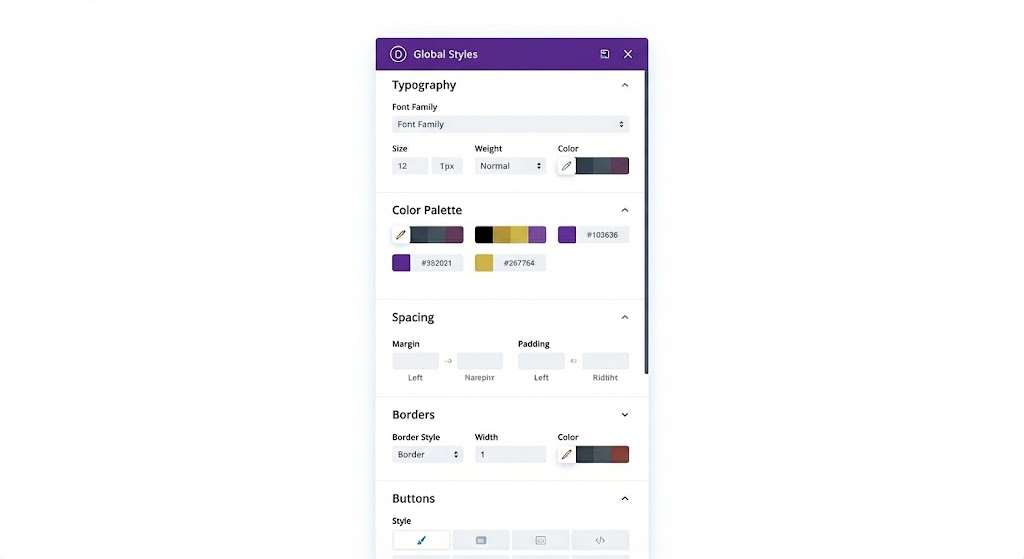
Rather than relying heavily on third-party extensions, Divi takes a more self-contained approach. Layouts, global styles, and templates live inside one interface, which simplifies setup and reduces dependency on external plugins.
How Divi Is Evolving for 2026
Divi’s recent updates focus on improving performance and long-term maintainability.
Key improvements include:
- Reduced unused CSS and JavaScript
- A more capable Theme Builder for site-wide templates
- Closer alignment with modern WordPress standards
These changes aim to balance visual flexibility with cleaner output and more predictable upkeep.
Where Divi Performs Well
Divi is strongest when consistency and simplicity matter.
Notable strengths:
- Unified control over pages, templates, and global styles
- Reusable sections and layouts for faster builds
- Strong visual consistency across typography and spacing
- Straightforward licensing, including lifetime access
This makes Divi well-suited for branding-focused websites and repeatable design work.
Best-Fit Use Cases
Divi works well for:
- Brochure and brand-driven websites
- Marketing-focused WordPress builds
- Teams standardizing on a single design system
- Projects where predictable costs matter
Its structured approach makes onboarding easier and reduces variation across projects.
Performance Considerations
Divi has improved, but it still benefits from clear usage standards.
To maintain solid performance:
- Use animations and effects selectively
- Apply caching, compression, and optimized hosting
- Avoid stacking unnecessary layout elements
Divi performs best when visual features are used intentionally rather than by default.
Bottom Line
Divi Builder remains a practical choice for teams that want an all-in-one design system with predictable workflows and costs. It may not suit developer-heavy or performance-first builds, but for visually consistent WordPress sites, Divi offers a stable and structured approach that scales cleanly with the right discipline.
3. Gutenberg + Block Libraries: A Performance-First Build Approach
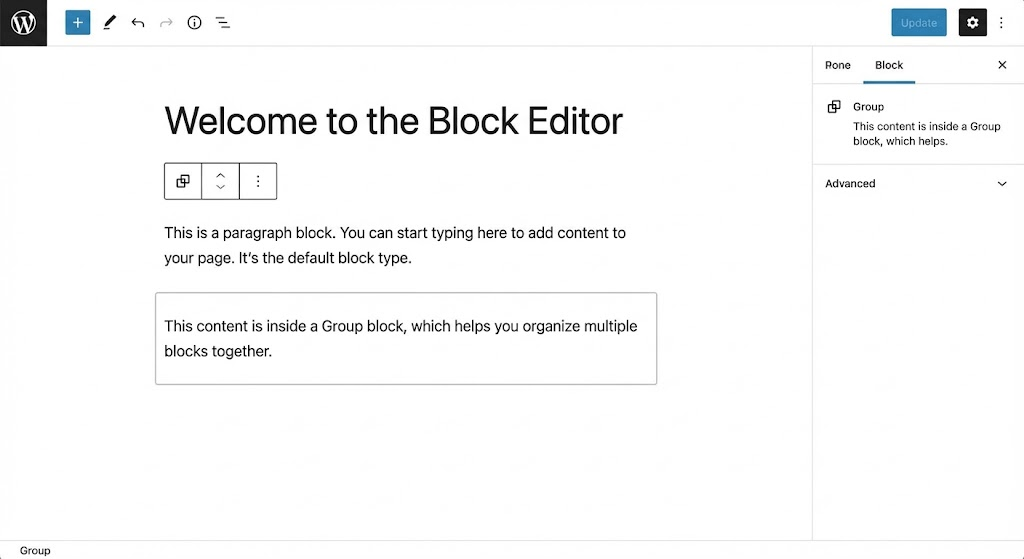
Gutenberg started as WordPress’s native block editor, created to modernize content creation and reduce reliance on external page builders. Over time, it has matured into a stable, performance-oriented foundation for building WordPress sites.
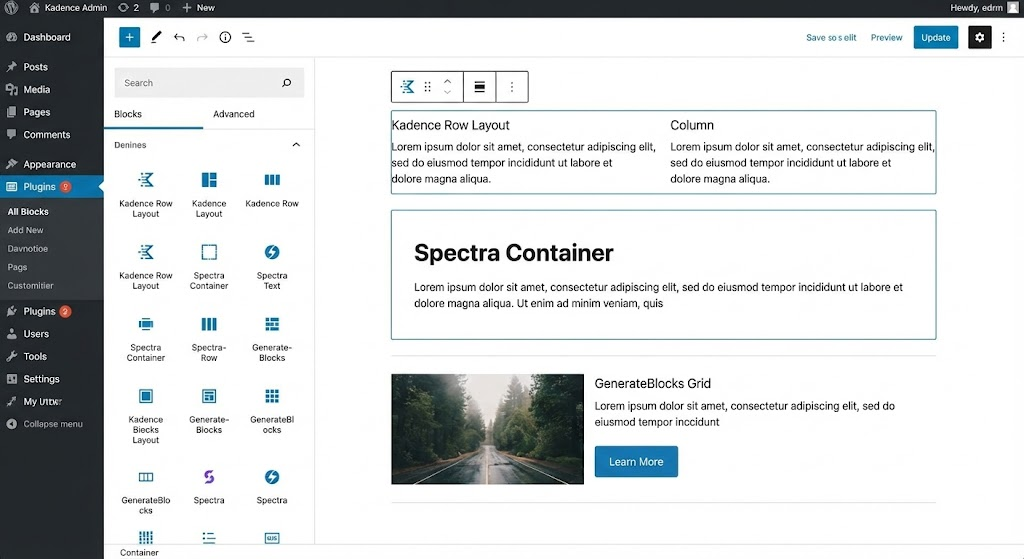
By 2026, Gutenberg will no longer be treated as a basic editor. When paired with modern block libraries such as Kadence Blocks, Spectra, or GenerateBlocks, it becomes a lightweight WordPress website builder system suited for structured, long-term WordPress builds.
This approach shifts development away from plugin-heavy layouts toward cleaner output and tighter control.

Why Gutenberg Matters in 2026
WordPress core development continues to invest in block-based architecture. Rather than competing with third-party builders, Gutenberg sets the baseline that themes, plugins, and performance optimization improvements build on.
Its relevance in 2026 comes from a few clear advantages:
- Page speed expectations are higher
- Faster sites carry less long-term maintenance risk
- Native tools reduce external dependencies
- Clean HTML supports semantic and AI-driven search
As search systems increasingly favor structured, accessible content, Gutenberg’s output aligns well with those requirements.
Where Gutenberg Performs Well
Gutenberg’s strength lies in what it avoids adding.
Key advantages:
- Minimal CSS and JavaScript output
- Semantic HTML that improves crawlability and comprehension
- Native integration with WordPress CMS
- Strong fit for large content and editorial structures
- Smooth compatibility with SEO and schema tools
With a block library in place, Gutenberg offers enough layout flexibility for most structured designs without sacrificing speed.
Best-Fit Use Cases
Gutenberg works best when performance and longevity matter more than visual effects.
Common use cases include:
- SEO-led website builds
- Content-heavy sites and blogs
- Local and service-based websites
- Projects focused on speed optimization and stability
Many teams use Gutenberg as a default and layer visual builders only when design requirements demand it.
Implementation Considerations
Gutenberg benefits from clear systems and documentation.
Points to account for:
- Layout flexibility depends on the chosen block library
- Design systems help prevent inconsistent page structures
- Advanced animations or layouts may require custom CSS
- Visual impact is more restrained than drag-and-drop builders
Teams that define reusable blocks and layout standards tend to scale Gutenberg more effectively.
Is Gutenberg Replacing Page Builders?
Not entirely.
In 2026, Gutenberg is:
- Replacing visual builders for SEO-first builds
- Reducing plugin dependency across WordPress sites
- Serving as a reliable long-term foundation
Visual builders still lead for complex, design-heavy layouts, but Gutenberg continues to gain ground where performance and maintainability are the priority.
Bottom Line
Gutenberg combined with modern block libraries, is one of the strongest options for WordPress sites built around performance, structure, and longevity. It may not suit every design requirement, but it has become a dependable default for teams aiming to reduce technical overhead while maintaining strong SEO and site health.
4. SeedProd: A Focused Builder for Landing Pages and Campaigns
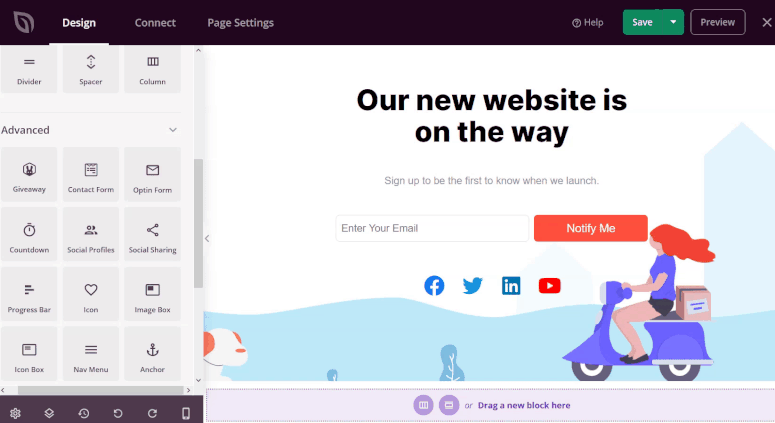
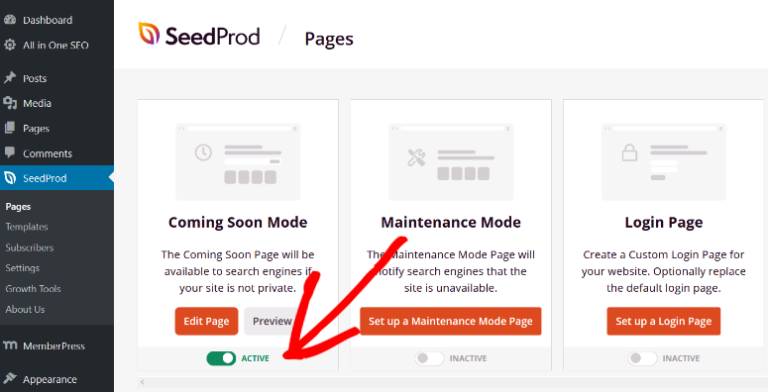
SeedProd began as a lightweight tool for coming soon and maintenance pages. Over time, it evolved into a no-code WordPress landing page builder designed specifically for campaign-driven use cases.
Unlike full-site page builders, SeedProd focuses on single-purpose pages. This narrow scope keeps output lightweight and makes it easier to launch pages quickly without unnecessary complexity.
Why SeedProd Matters in 2026
Campaign timelines are shorter, and performance expectations are higher. SeedProd is built around that reality.
Its relevance comes from a few clear strengths:
- Pre-built templates designed for launches, events, and lead capture
- Native integrations with CRMs and marketing platforms
- Built-in A/B testing for iteration and optimization
- AI-assisted copy and layout suggestions to speed up setup
SeedProd isn’t meant to replace full-site builders. It fills a specific role: fast, conversion-focused pages with minimal overhead.
Where SeedProd Performs Well
SeedProd excels when speed and clarity matter.
Key strengths:
- Rapid page deployment with minimal setup
- Conversion-oriented layouts with forms and calls to action
- No-code editing that keeps workflows simple
- Lightweight output that supports strong page speed scores
This focus makes it a practical choice for high-turnover campaign work.
Best-Fit Use Cases
SeedProd works well for:
- Product launches and event pages
- Webinar and lead-generation campaigns
- Short-term marketing initiatives
- Projects requiring fast turnaround and easy maintenance
It pairs cleanly with other builders, allowing teams to use different tools for different types of pages.
Implementation Considerations
SeedProd’s scope is intentional, but it comes with limits.
Points to account for:
- Not suited for full website builds
- Results depend on template selection and tracking setup
- Integrations require careful configuration to avoid data conflicts
Used within its intended role, SeedProd stays efficient and predictable.
Bottom Line
SeedProd is a strong choice for landing pages and campaign-specific builds. Its speed, focus, and lightweight output make it effective for conversion-driven work without adding long-term maintenance burden. When treated as a specialist tool rather than a general-purpose builder, it delivers consistent results with minimal friction.
5. Oxygen Builder / Bricks Builder: Developer-First Tools for Performance-Critical Builds
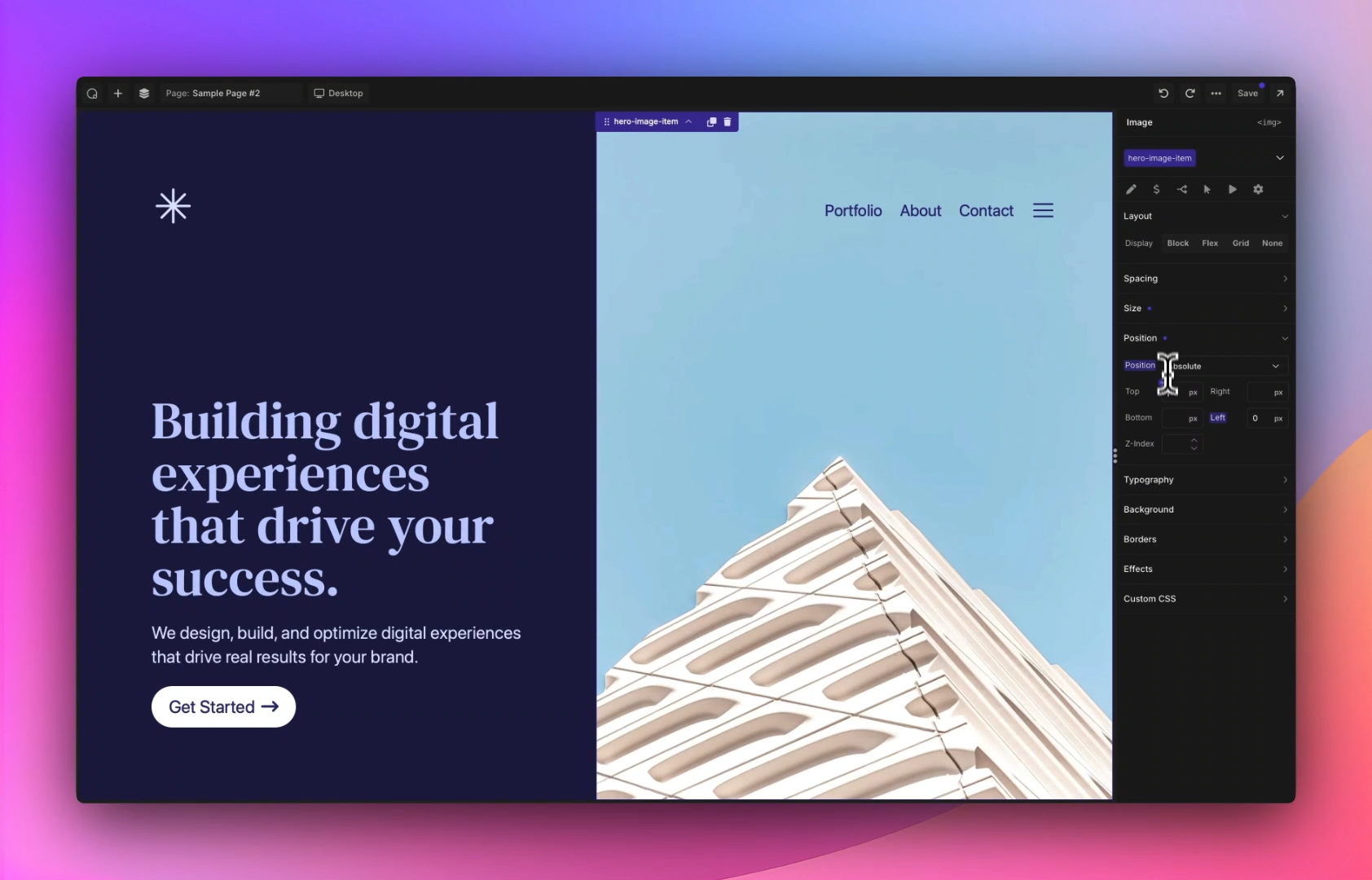
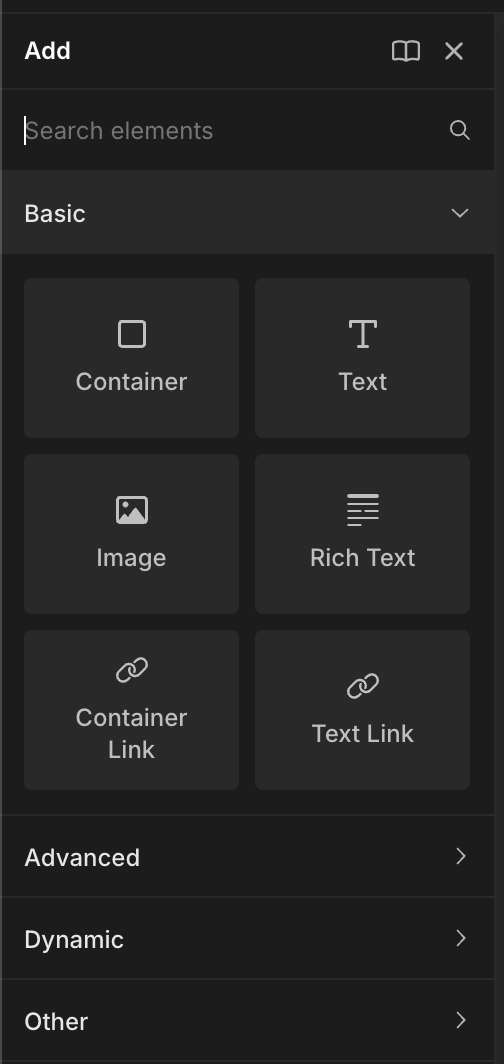
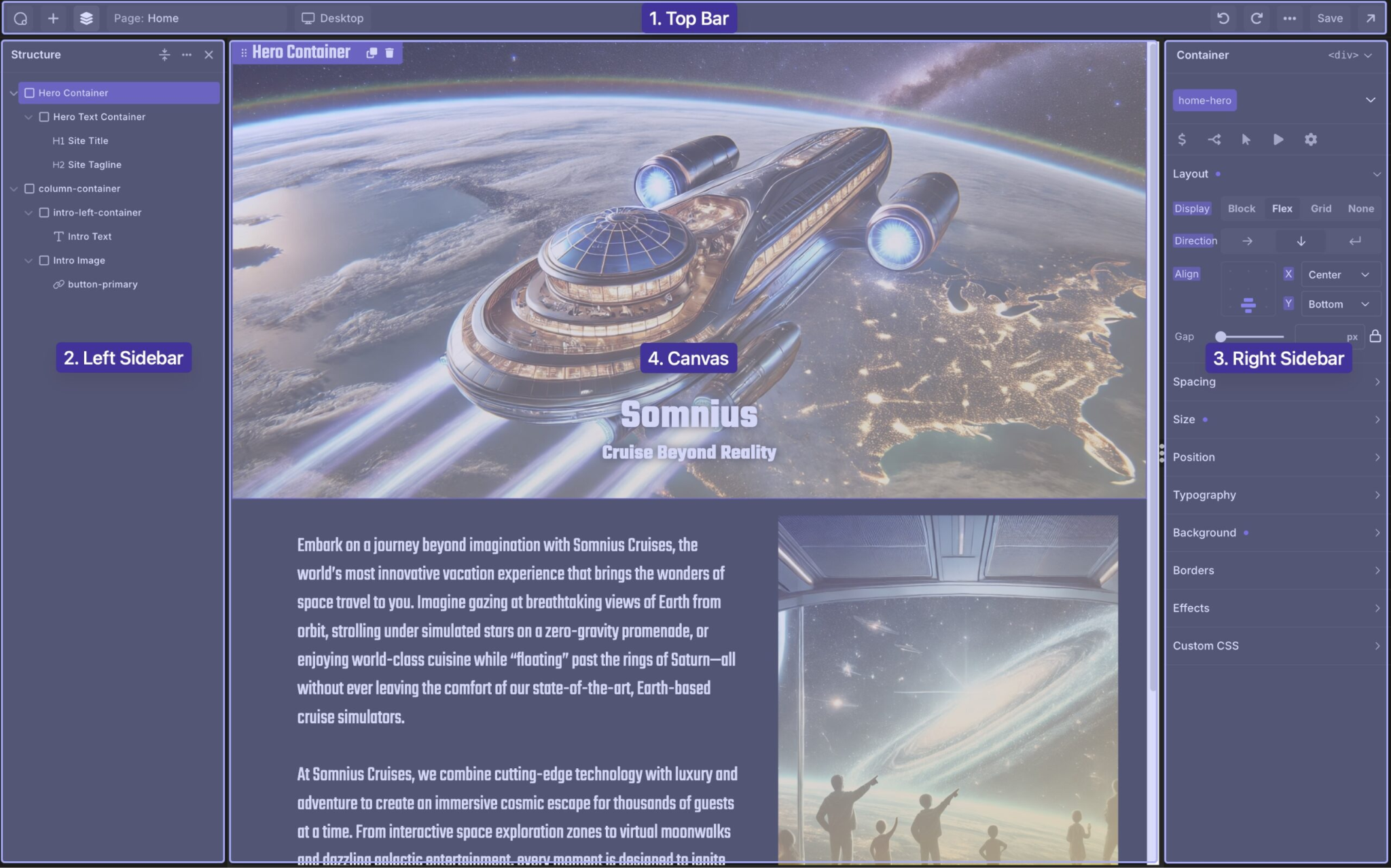
Oxygen Builder and Bricks Builder are built for teams that want tighter control over structure, styling, and dynamic content.
Unlike visual-first builders, these tools prioritize clean output and predictable performance. Layouts are created with fewer abstractions, giving developers more visibility into HTML structure, CSS behavior, and data handling.
They are often chosen when performance optimization, SEO, and long-term maintainability matter more than rapid visual experimentation.
How Oxygen and Bricks Are Used in 2026
As performance standards rise, builder choice increasingly affects site stability.
Oxygen and Bricks support this shift through:
- Lean front-end output that supports Core Web Vitals
- Flexible templating for dynamic content and custom post types
- Reusable components that standardize layouts across projects
- Compatibility with modern SEO and analytics tools without added overhead
These WordPress website builders make it easier to control how sites behave as they scale.
Where Oxygen and Bricks Perform Well
Their strength lies in control rather than convenience.
Key advantages include:
- Minimal CSS and JavaScript output
- Precise control over layout structure and styling
- Strong support for dynamic data and custom fields
- Reusable templates that reduce duplication across builds
This makes them a solid fit for performance-focused WordPress projects.
Best-Fit Use Cases
Oxygen and Bricks work best for:
- Developer-led WordPress builds
- Performance-sensitive websites
- Dynamic platforms such as directories or membership sites
- Teams comfortable working with structured layouts and CSS
They are often paired with more visual builders for simpler or design-heavy pages.
Implementation Considerations
These tools assume a higher level of technical involvement.
Points to account for:
- Steeper learning curve for non-developers
- Fewer pre-built templates out of the box
- Clear layout standards improve consistency and reuse
With defined patterns, Oxygen and Bricks remain efficient and maintainable.
Bottom Line
Oxygen Builder and Bricks Builder are strong choices for teams that value performance, control, and scalable architecture. They are not designed for quick, no-code builds, but for structured WordPress projects where clean output and long-term stability matter.
6. Beaver Builder: A Stable, Long-Term Page Builder for WordPress Projects
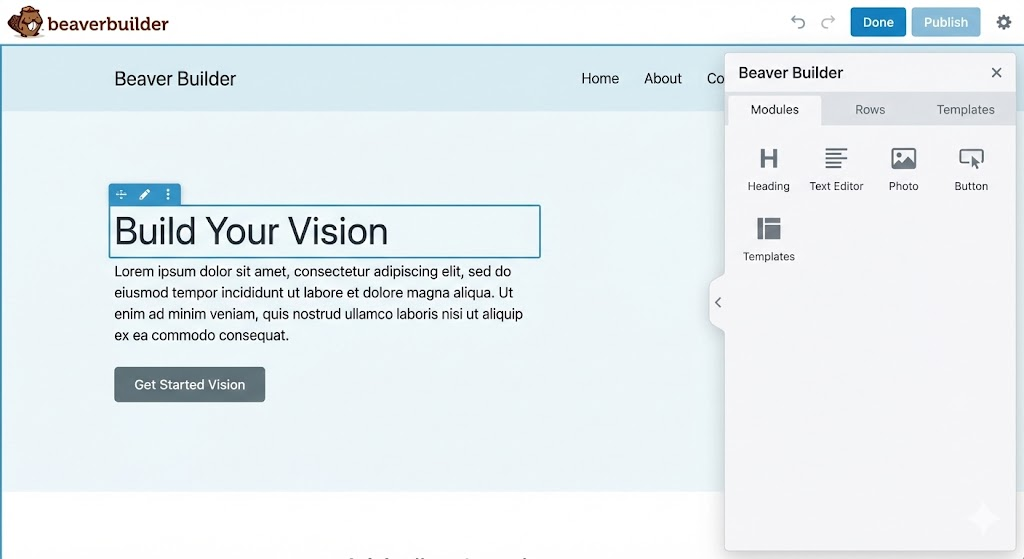
Beaver Builder has been part of the WordPress ecosystem since 2014 and is widely known for its emphasis on stability, clean output, and predictable behavior.
Rather than chasing frequent design trends or visual effects, Beaver Builder focuses on maintainability. Its architecture favors clarity over abstraction, making it a dependable choice for WordPress sites expected to run for years with minimal disruption.
This long-term approach is why Beaver Builder continues to be used for complex client portfolios and ongoing site maintenance.
Why Beaver Builder Remains Relevant in 2026
As WordPress sites grow more central to business operations, reliability matters as much as design.
Beaver Builder aligns well with this shift by supporting:
- Predictable updates with strong backward compatibility
- Clean code that supports Core Web Vitals
- Stable behavior across WordPress themes and plugins
- Integration with custom modules and frameworks
These qualities reduce risk over time, especially for sites that require regular updates without layout breakage.
Where Beaver Builder Performs Well
Beaver Builder is strongest in environments that value consistency and control.
Key strengths include:
- Modular, well-structured front-end output
- Developer-friendly framework for custom modules
- Stable release cycles that limit unexpected conflicts
- Scalable workflows for managing multiple WordPress sites
This makes it easier to maintain standards across large sets of WordPress installations.
Best-Fit Use Cases
Beaver Builder works well for:
- Retainer-based WordPress projects with ongoing updates
- Enterprise or multi-site WordPress builds
- Teams that need predictable behavior across releases
- Projects where accessibility, SEO optimization, and longevity take priority
Its steady approach allows sites to evolve without requiring frequent rebuilds.
Implementation Considerations
Beaver Builder trades visual flair for reliability.
Points to account for:
- Less emphasis on animations and visual effects
- Smaller template and layout library compared to visual-first builders
- Advanced layouts may require custom module development
Teams that plan for reuse and standard components tend to get the most value from Beaver Builder.
Bottom Line
Beaver Builder remains a strong choice for WordPress projects that prioritize stability, maintainability, and long-term performance. It may not be the most visually expressive builder, but it provides a reliable foundation for sites that need to stay functional, performant, and easy to manage over time.
For teams focused on consistency rather than experimentation, Beaver Builder offers a dependable path forward.
Quick Comparison: Which WordPress Page Builder Fits Your Agency?
| Builder | Best For | Core Strength | Performance | White Label Fit |
| Elementor | All-around client sites | Design flexibility & ecosystem | Medium-High | High |
| Divi Builder | Value-driven, branding-heavy projects | Unified design system | Medium | Medium |
| Gutenberg + Block Libraries | SEO & performance-focused builds | Lightweight, semantic code | High | High |
| SeedProd | Marketing landing pages & campaigns | Conversion-focused, fast setup | High | Medium |
| Oxygen / Bricks | Developer-heavy, custom projects | Full front-end code control | Very High | Medium-High |
| Beaver Builder | Long-term, enterprise clients | Stability & maintainable code | High | High |
How to Choose the Right WordPress Page Builder
Here’s the short version:
- Elementor works when visual flexibility and fast iteration matter
- Divi Builder fits teams standardizing on a single, cost-predictable design system
- Gutenberg + Block Libraries suit SEO-first builds where speed and structure matter
- SeedProd is built for launches, campaigns, and conversion-focused pages
- Oxygen / Bricks support performance-critical, developer-led projects
- Beaver Builder holds up best for long-term, maintenance-heavy websites
Each WordPress website builder is strong in its lane. Problems start when one builder is forced to cover every use case.
A Practical Way to Use Multiple Builders
Well-run teams rarely rely on a single builder.
A common setup looks like this:
- Gutenberg for content-heavy, SEO-driven sites
- SeedProd for landing pages and short-term campaigns
- Elementor or Divi for brand and marketing pages
- Oxygen or Bricks for custom, performance-sensitive builds
This approach keeps projects lean, reduces long-term overhead, and avoids unnecessary compromises.
White Label Page Builder Services: Where Builder Choice Meets Delivery Reality
By this point, one thing should be clear: page builders solve layout and design decisions. They do not solve delivery at scale.
As project volume increases, the challenge shifts from which builder to use to how consistently those builders are implemented across client work. Templates drift. Performance varies. Maintenance effort grows unevenly across sites.
White label WordPress development partners exist to stabilize this layer of delivery.
They typically support:
- Reusable templates and modular components across different builders
- Performance optimization, SEO, and Core Web Vitals standards applied consistently
- Structured deployment across multiple client environments
- Ongoing maintenance and updates without adding internal load
This creates a cleaner separation between strategy and execution.
Turning Page Builder Choices Into a Scalable System
The builders covered in this guide each serve a clear purpose. The friction starts when tools are chosen in isolation, without a shared execution model behind them.
A scalable setup accounts for:
- How sites behave months after launch
- How layouts remain consistent across projects
- How edits are handled without degrading performance
- How different site types fit into one delivery workflow
When these considerations are addressed upfront, using multiple WordPress website builders becomes an advantage rather than a liability.
Where a White Label Partner Fits
This is the point where many teams introduce a white label layer, not to replace internal decision-making, but to standardize execution.
A structured white label model allows:
- Builder-specific expertise without expanding headcount
- Faster turnaround without compromising quality
- Consistent SEO optimization and performance outcomes across projects
- Cleaner internal workflows for design, strategy, and client management
Execution becomes repeatable, even when project types vary.
Working With E2M Solutions
E2M Solutions supports teams across the full range of WordPress page builders discussed in this guide: Elementor, Divi, Gutenberg with block libraries, SeedProd, Oxygen/Bricks, and Beaver Builder.
The focus stays on:
- Performance-optimized, SEO-ready WordPress builds
- Reusable templates and structured workflows
- Consistency across branding, layout, and delivery standards
- Ongoing development and maintenance across client portfolios
This approach allows internal teams to stay focused on planning, design direction, and client relationships, while execution remains predictable and scalable.
Takeaway
Page builders shape how WordPress sites get built. What really decides how those sites hold up over time is the way they’re delivered and maintained.
In 2026, better results come from pairing the right builders with a setup that stays consistent across projects, keeps performance in check, and makes ongoing maintenance easier to manage. With that structure in place, page builders stop feeling like limitations and start working as part of a smooth, scalable delivery process.
FAQs: WordPress Page Builders for Agencies in 2026
Q1: Can agencies use multiple builders across projects?
A: Yes. Many teams adopt hybrid strategies, using different builders for landing pages, blogs, enterprise sites, or marketing campaigns.
Q2: Is Gutenberg replacing traditional page builders?
A: Not completely. Gutenberg is growing in capability, but drag-and-drop builders still dominate complex, creative workflows.
Q3: How can agencies benefit from white label page builder services?
A: White label WordPress development partners help scale teams, handle complex builds, maintain consistency, and optimize for performance and SEO, freeing agencies to focus on client strategy.



Ajay specializes in WordPress automation, headless architectures, and multisite management. He has helped agencies streamline workflows, automate repetitive tasks, and scale WordPress operations efficiently, enabling them to focus on growth and client success.
His technical expertise spans HTML5, CSS3, jQuery, PHP, and platforms including WordPress, Magento, and Opencart. Passionate about innovation, he blends creativity with cutting-edge technology to deliver seamless digital experiences. Outside work, he enjoys traveling, reading, and exploring emerging tech trends.