This guide for agency owners explains which GoHighLevel integrations are native, which require third-party automation or APIs, and how growing Web agencies can decide what to build in-house versus outsource to a white-label HighLevel development partner.
Also, learn how to integrate GoHighLevel with WordPress, Shopify, Zapier, n8n, Claude Code, Facebook & Instagram Lead Ads, TikTok, Google Business Profile, GoCardless, and other business tools.
TL;DR
- GoHighLevel doesn’t replace your clients’ existing tools; it has to connect to them reliably and consistently.
- WordPress connects via the official plugin, embeds, or deeper sync plugins like WP Fusion/FuseWP; Shopify connects via native OAuth (fastest) or a custom API app (more control).
- Beyond those two, the GoHighLevel integrations agencies lean on most in 2026 are n8n, Facebook & Instagram Lead Ads, Google Business Profile, TikTok Lead Ads, QuickBooks, and Zoho Flow for niche tools like Cliniko.
- GoCardless has no native connector yet; bridge it through Zapier or Make if a client needs it.
- Every integration you add is another place UTM attribution can quietly break, so tracking discipline matters as much as the connection itself.
- The real decision isn’t whether your team can build all of this; it’s whether it’s worth doing in-house versus handing it to a white-label delivery partner who’s already built the pattern.
Why GoHighLevel Integrations Matter for Growing Agencies?
GoHighLevel has become the operational hub for thousands of digital agencies by combining CRM, marketing automation, funnels, email, SMS, calendars, reputation management, and payments into a single platform. But while GoHighLevel centralizes client management, it doesn’t replace the technology stack your clients already rely on.
Most agencies still manage WordPress websites, Shopify stores, Meta Lead Ads, Google Business Profile, payment gateways, and industry-specific software. To deliver a seamless client experience, those systems need to exchange data reliably with GoHighLevel. Which is really what a GoHighLevel CRM integration is: making sure every tool a client already uses feeds the same contact record instead of living in its own silo.
For agencies generating between $500K and $1M in annual revenue, GHL integrations become more than a technical task; they become a delivery challenge. Every new dev integration adds implementation time, testing, monitoring, troubleshooting, and ongoing maintenance. What starts as a “quick setup” can quickly become recurring operational overhead that slows delivery and reduces profitability.
Most GoHighLevel integration guides stop at installation steps. They’ll tell you which plugin to install or where to find an API key, but they rarely answer the questions agency owners actually care about:
- Which GoHighLevel integrations are essential for client delivery?
- Which integrations are truly native, and which require APIs or middleware?
- When is a simple plugin enough, and when do you need a custom workflow?
- What implementation mistakes cause the most support issues?
- Which integrations should your internal team own, and which are better handled by a white-label delivery partner?
This GHL Integration guide answers those questions with practical implementation advice, real-world considerations, and recommendations based on the delivery challenges agencies encounter as they scale.
Whether you’re connecting GoHighLevel to WordPress, Shopify, n8n, Meta Lead Ads, Google Business Profile, or other business systems, you’ll learn not only how to build the integration in HighLevel, but also how to build a Web delivery process that scales with your agency.
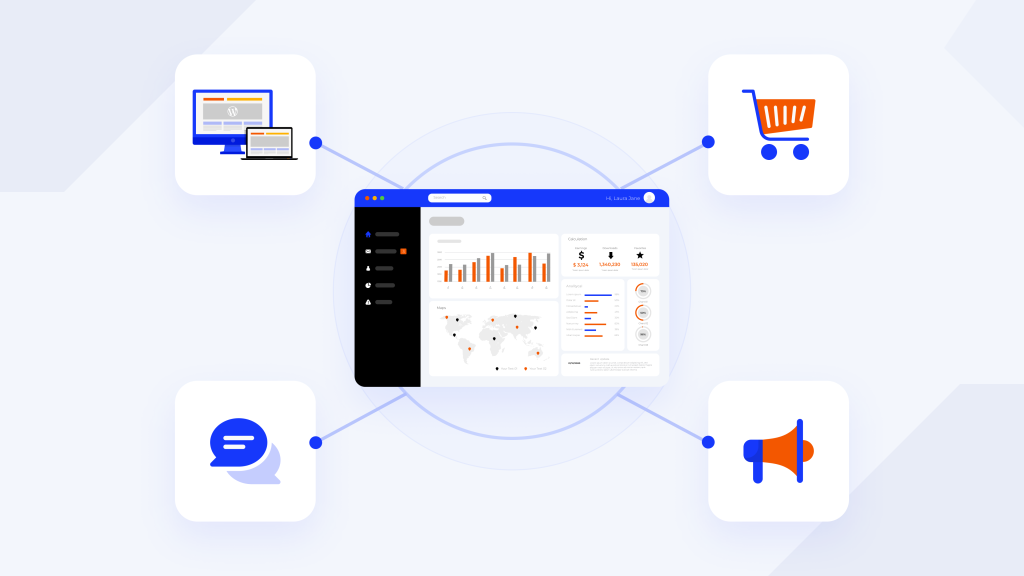
Why GoHighLevel Integrations Are a Delivery Challenge, Not Just a Technical One
GoHighLevel integrations aren’t difficult because they’re technically complex; they’re difficult because they require ongoing ownership. Every HighLevel integration your agency deploys becomes part of your long-term development & delivery process. APIs evolve, platform permissions change, new features are released, and third-party applications update their authentication methods. Without clear ownership, even a perfectly configured integration can fail quietly over time.
Consider a few common examples. Meta regularly updates Lead Ads permissions, Shopify introduces new API versions, and Google retires or replaces existing services. If those changes aren’t monitored and tested, leads may stop syncing, automations can fail silently, and clients often discover the problem only after opportunities have already been missed.
For founder-led agencies managing a small number of clients, this level of oversight is usually manageable because one person understands the entire technology stack.
As agencies grow beyond $500K in annual revenue, however, implementation work becomes distributed across project managers, marketers, developers, and automation specialists. Every “quick integration” promised during the sales process becomes another workflow that must be documented, monitored, supported, and maintained.
This is the point where GoHighLevel integrations stop being a checklist of platform connections and become a question of delivery capacity. Agencies that scale successfully aren’t necessarily the ones using the most integrations; they’re the ones with repeatable implementation processes, clear ownership, and reliable systems for maintaining those integrations long after launch.
How to Integrate GoHighLevel with WordPress
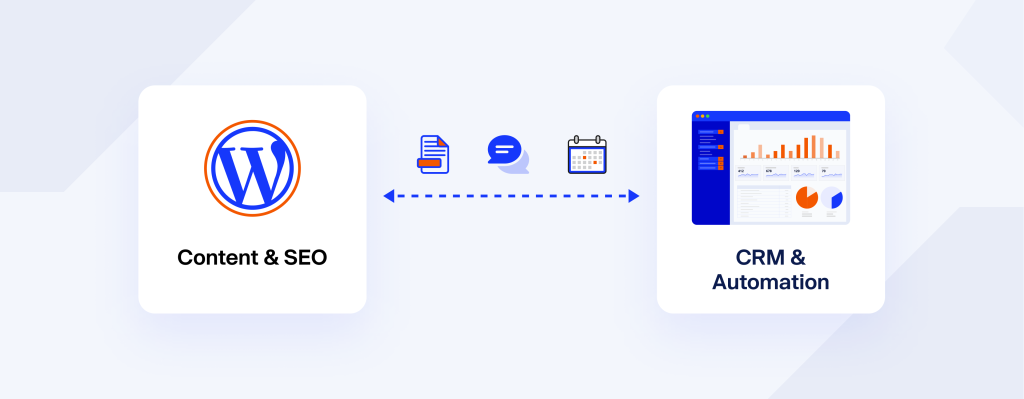
WordPress and GoHighLevel serve different but complementary roles. WordPress excels at content management, SEO, and website flexibility, while GoHighLevel focuses on CRM, marketing automation, lead nurturing, and sales funnels. Rather than replacing WordPress, most agencies connect the two platforms to create a seamless marketing and customer management workflow.
There isn’t a single “best” integration method. The right approach depends on your client’s website, the type of data that needs to sync, and the level of automation required.
| Integration Method | Best For | Difficulty | CRM Sync |
|---|---|---|---|
| Official GoHighLevel WordPress Plugin | Marketing websites | Easy | Limited |
| Embedded Forms & Funnels | Landing pages and lead generation | Easy | Form submissions only |
| Chat Widget | Live chat and lead capture | Easy | Conversations |
| WP Fusion / FuseWP | WooCommerce, LMS, memberships | Medium | Real-time contact synchronization |
Official GoHighLevel WordPress Plugin
The official plugin is the fastest way to embed GoHighLevel assets into a WordPress website. It allows agencies to add funnels, forms, calendars, surveys, and chat widgets without writing custom code, making it a practical choice for brochure websites and lead-generation campaigns.
Embedded Forms and Funnels
For simple lead capture, agencies can create forms or funnels in GoHighLevel and embed them into WordPress using HTML blocks. This approach works well for landing pages and one-off campaigns but can become difficult to manage across multiple client websites.
Chat Widget
GoHighLevel’s chat widget can be added sitewide by inserting the tracking script into your WordPress theme or a header and footer plugin. This enables live conversations, lead capture, and automated follow-up directly inside the CRM.
WP Fusion or FuseWP
For WooCommerce stores, membership websites, LMS platforms, or businesses that rely on user accounts, synchronization plugins such as WP Fusion or FuseWP provide significantly deeper integration. They automatically sync customers, members, purchases, and form submissions into GoHighLevel, enabling advanced segmentation, automation, and lifecycle marketing.
Implementation Insight: In our experience, most agency websites don’t require advanced CRM synchronization. Embedded forms and the official plugin are sufficient for standard marketing websites. However, agencies managing eCommerce, memberships, or recurring customer relationships benefit from deeper integrations that automate contact management and reduce manual work.
Are GoHighLevel Websites Fast and SEO-Friendly?
One of the most common questions agencies ask is whether they should migrate clients entirely to GoHighLevel’s website builder or continue using WordPress. The answer depends less on the platform and more on how the website is built.
GoHighLevel pages are lightweight by default because they avoid the plugin ecosystem and theme overhead common in WordPress. However, adding large images, third-party scripts, tracking pixels, embedded videos, or multiple widgets can quickly impact page performance just as they would on a WordPress site.
Similarly, a well-optimized WordPress website running a lightweight theme, modern hosting, image optimization, caching, and clean code can achieve excellent Core Web Vitals.
Rather than asking which platform is “faster,” agencies should focus on implementation quality. Image optimization, script management, DNS configuration, hosting, and technical GHL SEO practices have a far greater impact on performance than the choice of platform alone.
Common Mistakes When Integrating WordPress with GoHighLevel
- Using embedded forms when full CRM synchronization is required.
- Forgetting to test field mapping after updates.
- Running duplicate tracking scripts.
- Ignoring webhook or plugin conflicts.
- Assuming migration to GoHighLevel automatically improves SEO or page speed.
Best Practices
- Keep WordPress for content-rich, SEO-focused websites.
- Use GoHighLevel for CRM, automation, lead nurturing, and funnels.
- Choose the simplest integration that meets the client’s business needs.
- Test forms, automations, and CRM synchronization before launch.
- Monitor integrations regularly as plugins and APIs evolve.
How to Integrate GoHighLevel with Shopify
Yes, GoHighLevel integrates with Shopify via the native Shopify integration, a Shopify theme, or a custom Shopify app with Admin API access. For most agencies, the native OAuth integration is the fastest and easiest option. Custom apps are better suited to advanced implementations that require granular API permissions, custom workflows, or tighter control over data synchronization.
Shopify integration is particularly valuable for agencies supporting eCommerce brands or hybrid businesses such as medical spas, dental practices, fitness studios, or home-service companies that sell both products and services.
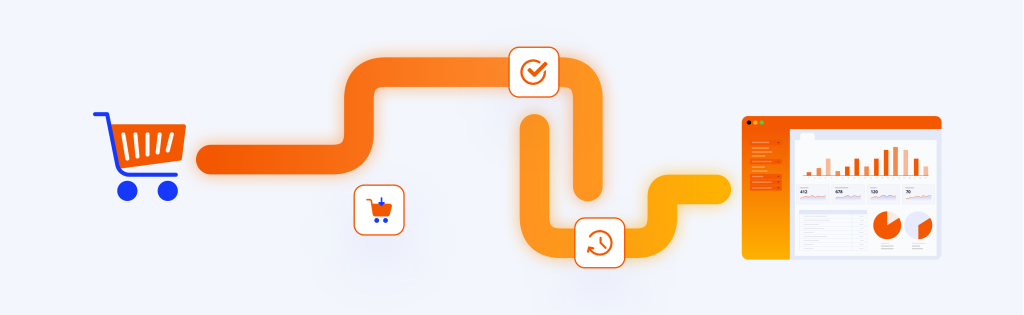
Connecting a Shopify store to GoHighLevel enables customer data, order activity, and marketing automation to work together, allowing agencies to deliver more personalized campaigns without managing separate systems.
Shopify Integration Options
| Method | Best For | Difficulty | Recommended |
|---|---|---|---|
| Native Shopify Integration (OAuth) | Most agencies | Easy | ✅ Yes |
| Custom Shopify App (API Token) | Enterprise or custom workflows | Advanced | When additional API control is required |
Option 1: Native Shopify Integration Solution
For the majority of agencies, the native Shopify integration is the simplest and most reliable approach.
From the GoHighLevel sub-account: Settings → Integrations → Shopify
Enter the Shopify store URL, authorize the requested permissions, and GoHighLevel automatically connects to the store without requiring developers to generate or manage API credentials.
The native integration supports synchronization of:
- Customers
- Orders
- Products
- Collections
- Transactions
Once connected, agencies can trigger workflows based on events such as:
- Order Submitted
- Payment Received
- Customer Created
These events power automations like abandoned cart recovery, post-purchase follow-ups, cross-sell campaigns, review requests, and customer re-engagement sequences, all managed from the same GoHighLevel automation engine.
Option 2: Custom Shopify App development
Some agencies require more control than the native integration provides. In these cases, Shopify allows developers to create a custom application, define specific API scopes, and authenticate GoHighLevel using an Admin API access token.
This approach is useful when:
- building custom middleware
- integrating additional business systems
- controlling API permissions
- developing bespoke automation workflows
Implementation Tip: Shopify displays the Admin API access token only once during app creation. Store it securely using a password manager or secrets management system, as it cannot be retrieved later without generating a new token.
Which Shopify Integration Should You Choose?
For most agency client projects, the native OAuth connection is sufficient. It’s faster to deploy, easier to maintain, and supported directly within GoHighLevel.
A custom Shopify app is generally appropriate only when the project involves advanced automation, multiple business systems, or custom API requirements that extend beyond GoHighLevel’s native capabilities.
Implementation Insight: One pattern we frequently see is agencies overengineering Shopify integrations. Unless a client has unique operational requirements or complex data flows, the native Shopify integration typically delivers everything needed for CRM synchronization and marketing automation while reducing long-term maintenance.
Best GoHighLevel Integrations for Agencies in 2026
GoHighLevel supports dozens of native integrations and thousands more through APIs and automation platforms. While most agencies don’t need every available connection, a handful of integrations consistently deliver the most value for client acquisition, automation, reporting, and operational efficiency.
The best integration stack depends on your agency’s niche and service offering, but these are the tools we see agencies using most often to streamline delivery and improve client results.
Best 10 GoHighLevel Integrations at a Glance
| Tool | Best For | Integration Type | Difficulty |
|---|---|---|---|
| N8n, Zapier | Advanced workflow automation | Native Node, Webhooks, API | ⭐⭐⭐⭐ |
| Facebook & Instagram Lead Ads | Lead generation | Native | ⭐⭐ |
| Google Business Profile for Local SEO | Reviews & local businesses | Native | ⭐⭐ |
| TikTok Lead Ads | Social advertising | Native | ⭐⭐ |
| Stripe | Payments | Native | ⭐ |
| PayPal | Payments | Native | ⭐ |
| QuickBooks | Accounting | Native / API | ⭐⭐⭐ |
| GoCardless | Subscription billing | Zapier / Make | ⭐⭐⭐ |
| Zoho Flow | Business workflow automation | Third-party | ⭐⭐⭐⭐ |
| Cliniko | Healthcare agencies | Zoho Flow / API | ⭐⭐⭐⭐ |
1. Zapier and n8n – Best for Advanced Automation
Agencies use Zapier and n8n to:
- Route leads based on location or service type
- Build AI-powered workflows
- Sync CRM data with GA4, Search Console, or Ahrefs
- Generate automated reports
- Connect custom applications through APIs
Recommended for: Agencies offering AI automation, CRM customization, or enterprise workflows.
Implementation Insight: Once agencies begin connecting more than five or six business systems, n8n often becomes more flexible and cost-effective than relying exclusively on Zapier.
2. Facebook & Instagram Lead Ads
For agencies running paid social campaigns, the Meta Lead Ads integration is one of the highest-value native GoHighLevel integrations. After connecting the Facebook Page, incoming leads flow directly into GoHighLevel, allowing agencies to trigger automated follow-ups, appointment scheduling, SMS campaigns, and email nurturing.
Common Implementation Mistake: Connecting the Facebook Page isn’t enough. The LeadConnector application must also be granted Leads Access within Meta Business Manager, or leads won’t sync. Always validate the integration using Meta’s Lead Ads Testing Tool before launching campaigns.
3. Google Business Profile
Google Business Profile remains essential for agencies managing local businesses. While Google’s Business Messages feature has been retired, integrating GBP with GoHighLevel still provides significant value by centralizing:
- Reviews
- Post
- Reputation management
- Customer conversations
- Local engagement
For agencies managing Local SEO services with multiple locations, this integration simplifies review monitoring and client communication.
4. TikTok Lead Ads
As TikTok continues to grow as an advertising platform, the native GoHighLevel TikTok Ads integration allows agencies to capture leads directly into CRM workflows. Once connected, agencies can automatically:
- Assign leads
- Send SMS
- Launch email nurturing
- Trigger appointment reminders
Current Limitation: Multi-select lead form fields aren’t fully supported, so campaigns requiring those fields may need custom handling.
5. QuickBooks
Many agencies overlook accounting integrations, but connecting QuickBooks Online (QBO) with GoHighLevel helps streamline invoicing, payment tracking, and financial workflows. It’s particularly useful for agencies managing recurring retainers or multiple client accounts.
6. GoCardless
There’s no native GoCardless GoHighLevel integration today — it’s a frequently requested feature, not a shipped one. For UK and European agencies using direct debit payments, the typical solution is connecting GoCardless through Zapier, Make, or another middleware platform.
If your clients don’t specifically require GoCardless, GoHighLevel’s native payment gateways, including Stripe, PayPal, Square, and Authorize.net, usually provide a simpler and more maintainable solution.
7. Zoho Flow & Cliniko
Not every client operates on mainstream business software. Healthcare, legal, fitness, and other niche industries often rely on specialized platforms such as Cliniko. Rather than replacing those systems, agencies typically use Zoho Flow as middleware to synchronize appointments, contacts, and customer information with GoHighLevel.
The goal isn’t to migrate every application; it’s to ensure each platform shares the data needed for marketing automation and CRM workflows. Our guide to GoHighLevel templates for niche agencies goes deeper on this if that’s the kind of work you do regularly.
Which GoHighLevel Integrations Should Your Agency Prioritize?
Not every agency needs every integration. Start with the tools that align with your service offering.
| Agency Type | Recommended Integrations |
|---|---|
| Local SEO Agency | Google Business Profile, Meta Lead Ads, Stripe |
| Web Design Agency | WordPress, Calendars, Forms |
| eCommerce Agency | Shopify, Stripe, n8n |
| Healthcare Agency | Cliniko, Zoho Flow, Google Business Profile |
| AI Automation Agency | n8n, APIs, Webhooks |
| Full-Service Agency | WordPress, Shopify, Meta Lead Ads, n8n, QuickBooks |
The ultimate collection of GoHighLevel templates for niche agencies
The One Integration You Really Can’t Skip: UTM and Attribution Tracking
Every integration above adds another traffic source into the funnel, and every added source is another way attribution quietly breaks.
GoHighLevel does have built-in UTM handling: any GoHighLevel-hosted funnel or website reads utm_source, utm_medium, and utm_campaign from the URL and stores them on the contact record as Session Source, Session Medium, and Session Campaign, visible in the Attribution panel. Email campaigns get their own default UTM set automatically if you enable it under Email Marketing > Settings > Tracking.
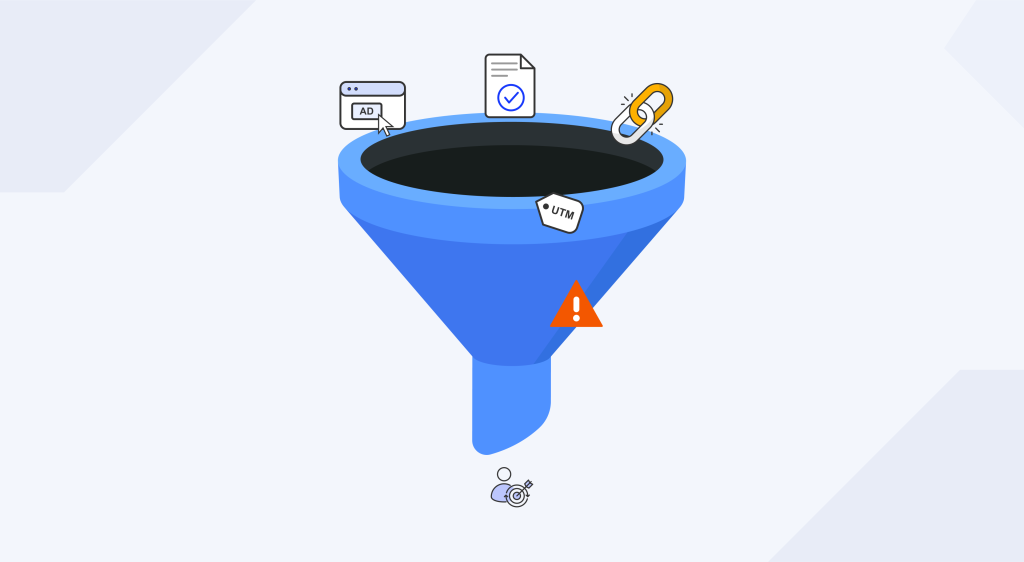
The catch: this tracking is domain-scoped. If an ad sends traffic to a client’s own domain and that domain then redirects to a GoHighLevel subdomain, the UTM cookie doesn’t survive the jump. The fix is keeping the full conversion path ad click through form submission on a single domain wherever possible, or layering in a dedicated UTM-capture tool (Attributer and SourceLoop.ai are the two most commonly used with GoHighLevel) when that’s not possible.
For agencies reporting on GA4 alongside GoHighLevel, it’s worth keeping UTM conventions consistent across both systems rather than treating them as separate tracking stacks.
Build It Yourself or Partner with a White-Label GoHighLevel Dev Team?
Many agencies successfully implement simple GoHighLevel integrations in-house using native connectors and standard workflows.
However, as projects become more complex with multiple platforms, custom APIs, advanced automation, or ongoing maintenance, the real cost shifts from implementation to operational overhead. Every new integration requires testing, documentation, troubleshooting, and ongoing monitoring as platforms and APIs evolve.
This is where having the right white label web delivery model becomes a competitive advantage.
At E2M, we help digital agencies scale their GoHighLevel services through our white label GoHighLevel development services. Whether you need website development, CRM setup, custom integrations, workflow automation, funnel builds, or ongoing technical support, our team works behind the scenes as an extension of your agency, allowing you to deliver under your own brand while keeping your internal team focused on strategy, client relationships, and growth.
The most successful agencies don’t evaluate integrations solely by implementation cost. They evaluate them based on delivery efficiency, maintenance effort, scalability, and long-term profitability.